General (People)
The General page for Person divided into three columns: Advanced Lookup, Favorites and Today's History.
Advanced Lookup
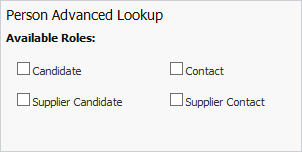
Check the box for each role you want to search. Once a box is checked, search criteria displays based on the box checked. Enter your search criteria and click Find.
The Favorites and Today's History columns are replaced with the Lookup Results.
To access a record, click on the hyperlink in the grid (typically, the first column after Select).
To create a record, click Create.
To change the presentation of the search results (e.g. add/remove columns, etc.) click Reformat.
Favorites
This column displays all person records that have been marked as Favorites.
You can mark a record as a Favorite by accessing the record and clicking Add Favorites.
You can go directly to a record from this page by clicking on the record name.
Today's History
Displays records that you have accessed during your current login. This list clears whenever you log out of Adapt.
You can access the displayed record by clicking on the record name.