Job Order Submittal Summary Report
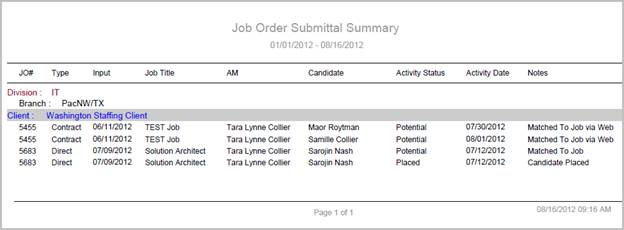
The job order submittal summary report is used to track the activity on job orders that are created within a specified date range. This is a detailed report that shows each submittal activity, the date of the activity and notes associated with that activity as well.
- Access Reporting > Reporting & Analytics > System Reports > Recruiter.
-
Double-click on Job Order Submittal Summary report to open the workflow in a new window.
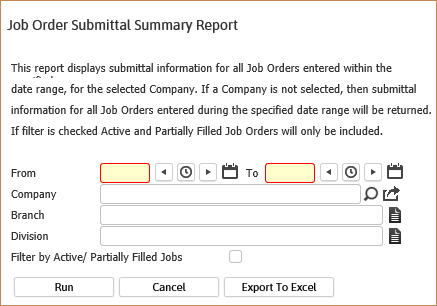
- While updating the form, fields marked in red are required to complete the workflow. Click on the buttons to the right of certain fields to open a new window which will allow you to search and select options related to that specific field or choose a date.
- The From and To dates are the creation dates for the job orders. So if you want to view the submittal activity for all job orders created this month you would enter the 1st thru the 30th or 31st.
- The Company criteria will pull back data relating to the jobs orders for that client only; if no client is named in this field, then all job orders created during the date range are returned.
- The Branch and Division are additional criteria options to further filter the report results. These options will match the job order records.
- Select the option to Filter by Active / Partially Filled Jobs to remove closed and filled jobs from the report.
- Click Run to generate the report.
-
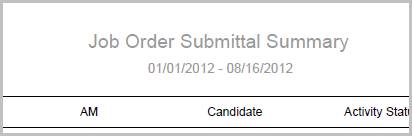
The header displays the report name, dates specified in the workflow and labels for the data to be displayed.
-
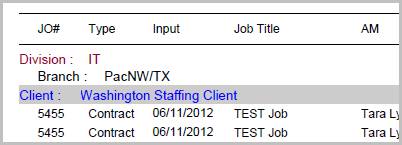
The data is then sorted by Division, Branch, Client and Job Order Number.
-
The data displayed is pulled directly from the job order and gives details of the submittal activity for each candidate linked to the job order.

Full Report
Workflows that Update Report
The following workflows update the Job Order Submittal Summary report:
-
Link Candidates to Job from:
-
Submit Internally (Contract or Direct) from:
- Batch
- Candidate
- Dashboards
- Job Order
-
Interview Candidates from:
- Dashboards
- Job Order
-
Reject / Withdraw Candidate from:
- Dashboards
- Job Order
- Make Offer from:
- Dashboards
- Job Order
-
Assign Candidate from:
- Batch
- Dashboards
- Job Order
-
Place Candidate from:
- Dashboards
- Job Order