Using QuickFind
QuickFind is a quick search for all types of records.
-
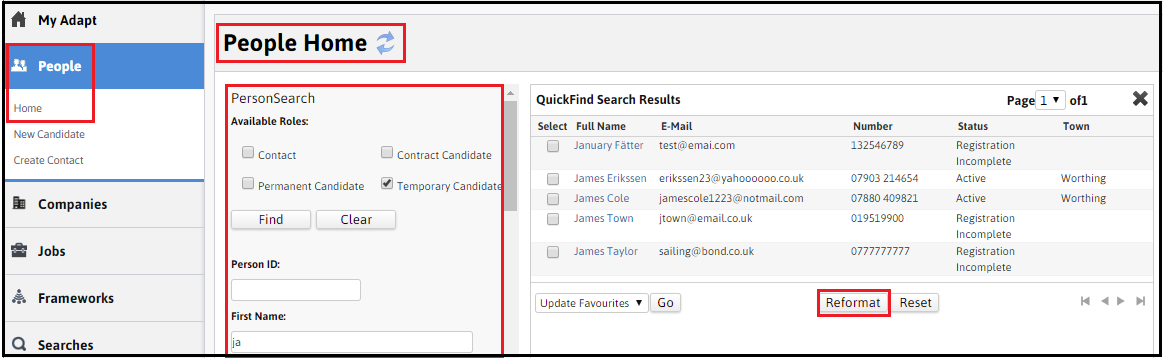
Use the ‘Home’ pages on the tabs to locate records in a ‘QuickFind’.
-
Select the record type(s), add criteria and click ‘Find’. The results will list any records that match the defined criteria.
-
Select the blue hyperlink to access the record.
-
Hover over the blue hyperlink to see the record preview (in a ‘Using Flyouts’).
-
The ‘Select’ box to the left hand side can be ‘ticked’ to allow the user to add a record to ‘Favourites’ by clicking on ‘Go’ at the bottom left hand side of the window.
-
The record criteria displayed in the list can be adjusted using the ‘Reformatting QuickFind Results’ option.
Was this helpful?