Creating a Candidate Compliance Summary Form
Adapt users can send a summary of a Candidate's compliance information to a Contact.
It can be run from the Candidate record shortcuticon or from theActivitiesmenu :
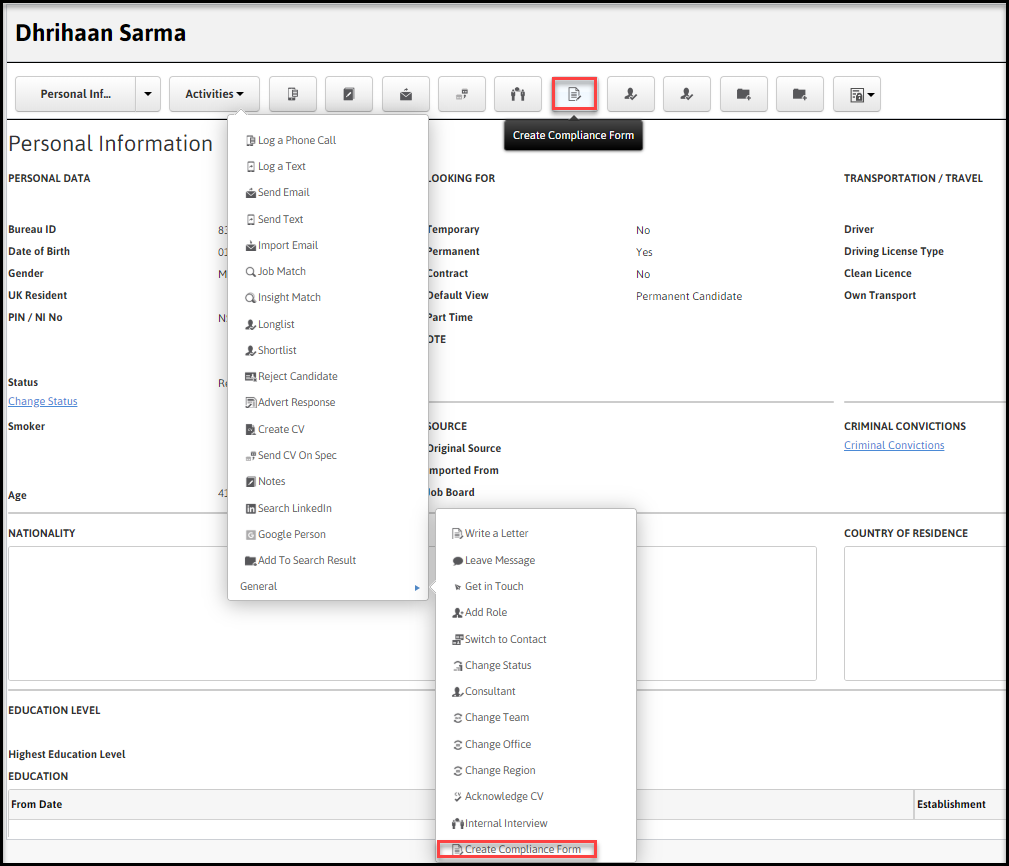
Users can also run it from the Assignmentrecord Activities menu.
Select the activity and complete the Contactdetails:
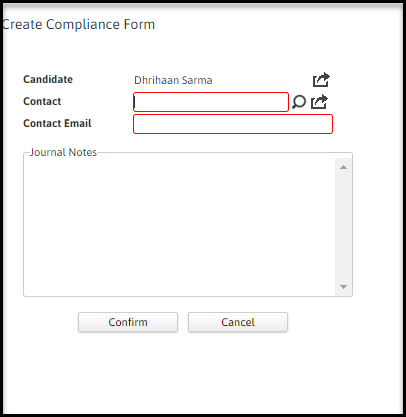
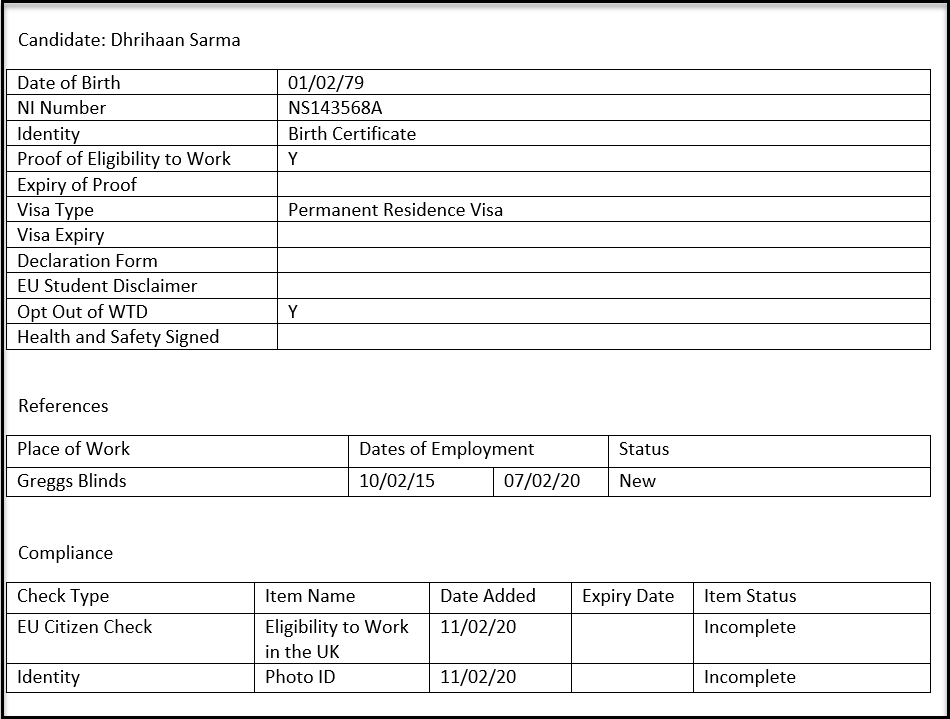
The summary will include:
1. Candidate's Date of Birth (if present)
2. Candidate's NI Number(if present)
3. Compliance information as shown on the GDPR & Checks page:
-
Identity
-
Proof of Eligibility to Work
-
Expiry of Proof
-
Visa Type
-
Visa Expiry
-
Declaration Form
-
EU Student Disclaimer
-
Opt Out of WTD
-
Health & Safety Signed
4. All References including Place of Work, Dates of EmploymentandStatus as shown on the GDPR & Checks page.
5. AllCompliance Items including Item Name, Date Added, Expiry Dateand Item Statusas listed on the Compliance & Onboarding page.
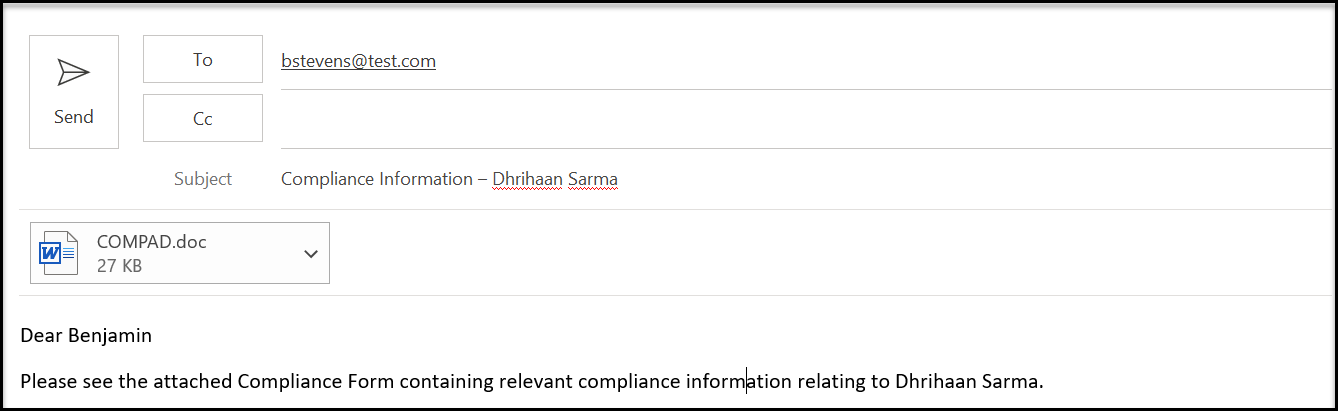
Note: This is a manual process only so no Candidate 'Batch' option is available.