Bullhorn Feature: Tearsheets
Each ATS in the Bullhorn Sourcing Accelerator could have unique features specifically for that ATS. You can become familiar with the Tear Sheets feature of Bullhorn with the following reference:
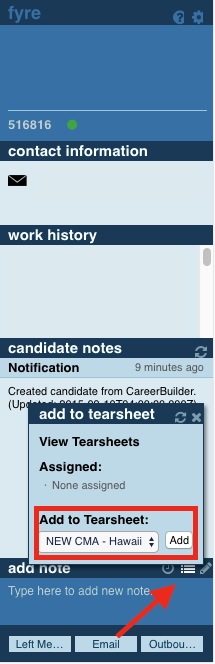
Show Bullhorn Tear Sheets Dialog: If this feature is enabled you can add a candidate to a Tearsheet of your choice. The Tearsheets that are available to you will depend on what Tearsheets are created on your current ATS. To remove someone from a Tearsheet simply hover over the active Tearsheet and click the corresponding "X".