How do I update Bullhorn Sourcing Accelerator?
Bullhorn Sourcing Accelerator automatically updates every 24 hours ensuring you have the most up-to-date functionality without needing to check for new releases.
If you have been instructed by our Support team to force an immediate update, please follow the following instructions:
Look for the Bullhorn Sourcing Accelerator icon next to your address bar and right click it.
Click manage from the menu options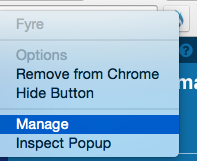
You will see all the extensions installed to your browser. Look for developer mode and click on the checkbox to enable it.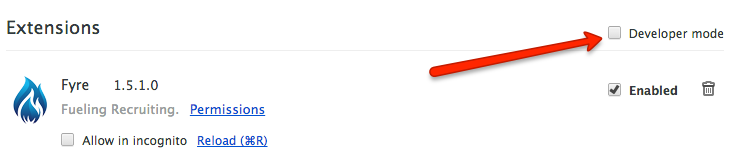
Once Developer Mode has been enabled, you should see the button that will allow you to upload the extensions.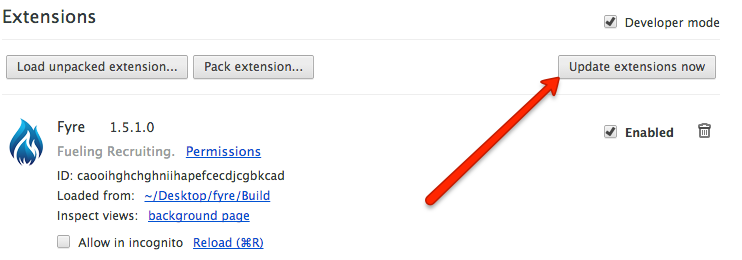
Once your extensions have been updated uncheck the Developer Mode check box and close the extensions window.