Reporting & Analytics
The Reporting & Analytics tool allows access to a variety of reports and dashboards from the report library.
This section of the Help is divided into two areas:
-
For information on using the Reporting & Analytics tool (including the Report Designer), select the contextual help system using the question mark on the Reporting & Analytics Home page:
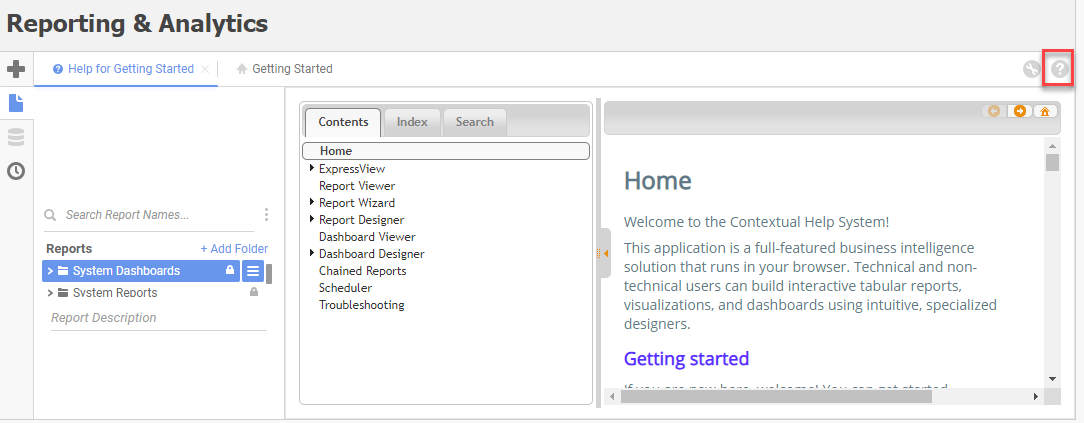
This displays the Reporting & Analytics Help within your Adapt Help window. Information within the Reporting & Analytics Help include any tool, button or option on the Reporting and Analytics page. For example:
- Executing Reports
- Scheduling Reports
- Exporting Reports
- Editing HTML Formatted Reports
- Searching Reports
- Setting User Preferences
- Creating New Reports (Report Designer Only)
- Duplicating Reports (Report Designer Only)
- Editing Reports (Report Designer Only)
- Removing Reports (Report Designer Only)
- For information on the reports/dashboards provided by Bullhorn with the Reporting & Analytics tool, click the System Dashboards topic or the System Reports topic. These topics are designed to parallel the folder structure in Reporting & Analytics. There you will find descriptions of each system-delivered dashboard and report. For a full list of system reports and dashboards you can review the Adapt Report Listing.
- For information on adding folders, you can either access the contextual help system (as above) to see how to add, edit and remove folders using the Reporting & Analytics page or view the Report Folders & Permissions topic (to see how to add, edit and remove folders using Manage Security Profiles in Administration. Both areas provide options to add, edit and remove folders. However, only the Report Folders & Permissions area allows you to assign permissions to folders.
Note: Keep in mind that the Rename Folders and Reports option from the R&A Report list requires the user to be the Owner. See the Report Folders & Permissions topic for more information on how to Rename Folders.