Text-Em-ALL
The Adapt Text-Em-ALL Integration is used to send a mass telecommunications broadcast to selected candidate records.
If you are interested in integrating with Text-Em-ALL, please contact your Adapt Account Manager. For an overview of the integration, you can review this webinar.
Create a mass telecommunication broadcast
- The first step in the mass telecommunication process is to run a candidate search to locate records to be included in the broadcast.
- From the batch candidate activities workflow, the broadcast is created against the search result listing.
-
After creating the broadcast record, the user will call the provided toll free number to record messages the candidate will receive either as a live answer or in a voice mail.
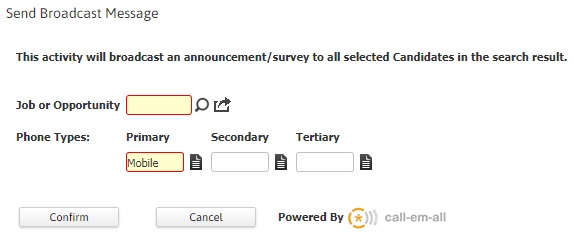
For additional details, refer Send Broadcast topic under Batch Activities > Candidates > Calls & Emails.
Viewing call results for mass telecommunication broadcast
- Once a broadcast is created and the messages recorded, Text-Em-ALL takes over the process and begins calling the candidates per the conditions specified in the workflow. i.e., time to call, number to call, survey response received.
-
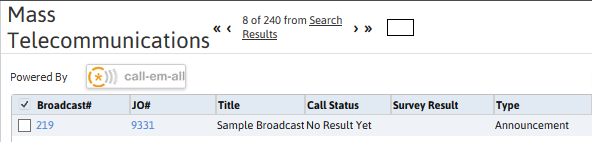
The user can access the broadcast record, to view and track the progress and results, via the candidate or job order record’s Mass Telecommunications segment.
-
After accessing the record the results should be displayed. If they are not, click the update workflow option to refresh the recipient results list box.
For additional details please refer to the Candidate, Job Order and/or Additional Entities Mass Telecommunications topics.