GDPR Objections Report
This report shows all people(Candidates/Contacts) who have expressed their rights to object or have withdrawn consent within the defined date range. The report shows all records where the Right to be Forgotten and / or theRecord Objection/Consent Withdrawn workflows have been run and set to 'Yes'.
To run the report:
-
Click on the report name to launch the input screen.
-
Enter the criteria for the report (mandatory fields are highlighted in red).
-
Select the required format.
-
Click Confirm to run the report.
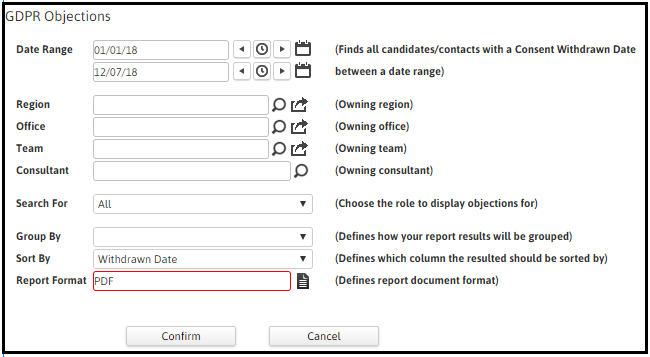
For a date range,
You can Filter by:
-
Owning Region
-
Owning Office
-
Owning Team
-
Owning Consultant
-
All or Candidates or Contacts
You can choose to Group the report presentation by:
-
Consultant
-
Office
-
Region
-
Team
AND
You can choose to Sort by one of these columns (in alphabetical or numerical order):
-
Consultant
-
Office
-
Region
-
Team
-
Withdrawn Date
The report columns show:
-
Withdrawn Date
-
Rights Expressed Reason - Withdrawn Consent or Objection
-
Subject Access Request Made
-
Subject Access Request Sent
-
Right to be Forgotten Decision
-
Right to be Forgotten Reason
-
Restricted - whether they are in Restrictedmode in Adapt
-
Role - Candidate or Contact
Without using ‘group by’, the report will produce a list of Candidates and Contacts with details of their Withdrawn Date and Rights Expressed Reason. It also shows whether the person has been Restricted in Adapt and whether a Subject Access Request has been made or sent.
If a Right to be Forgotten Decision or Reason has been logged, this will also display.
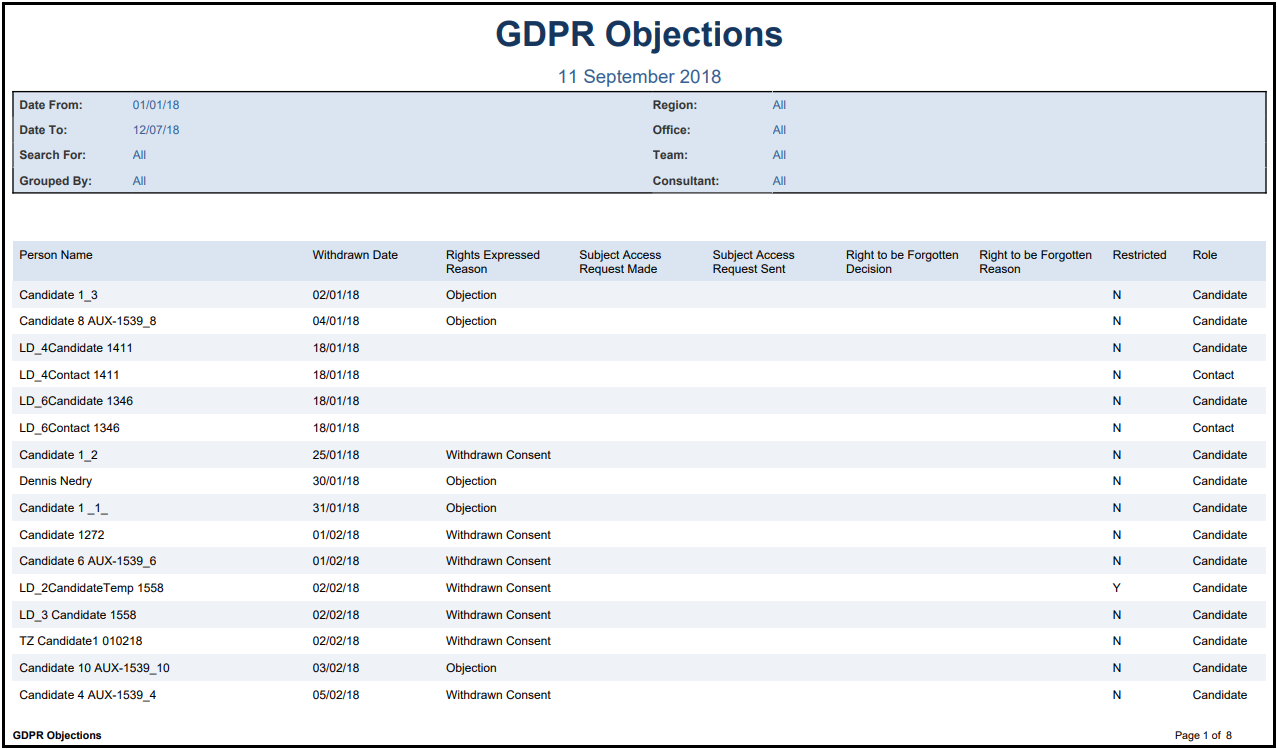
Grouping will give 4 different presentations of the information and the totals by group, for example by Consultant: