Timesheets Report
This report finds all timesheets received with a weekending date between the date range entered.
To run the report:
-
Click on the report name to launch the input screen.
-
Enter the criteria for the report (mandatory fields are highlighted in red).
-
Select the required format.
-
Click Confirm to run the report.
For a date range,
You can Filter by:
-
Timesheet’s (owning) Region
-
Timesheet’s (owning) Office
-
Timesheet’s (owning) Team
-
Timesheet’s (owning) Consultant
-
Timesheet’s Client
-
Timesheet’s Status
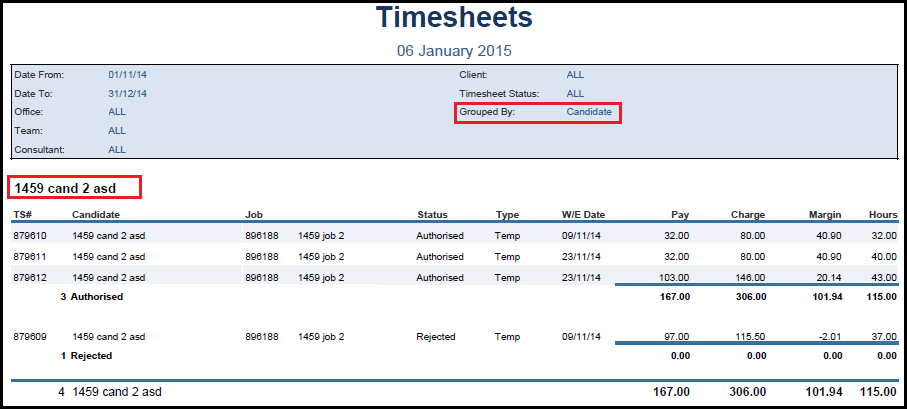
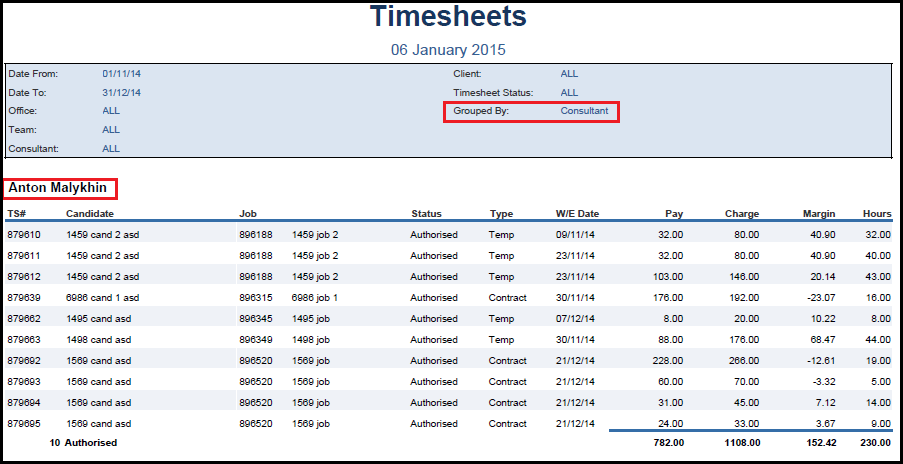
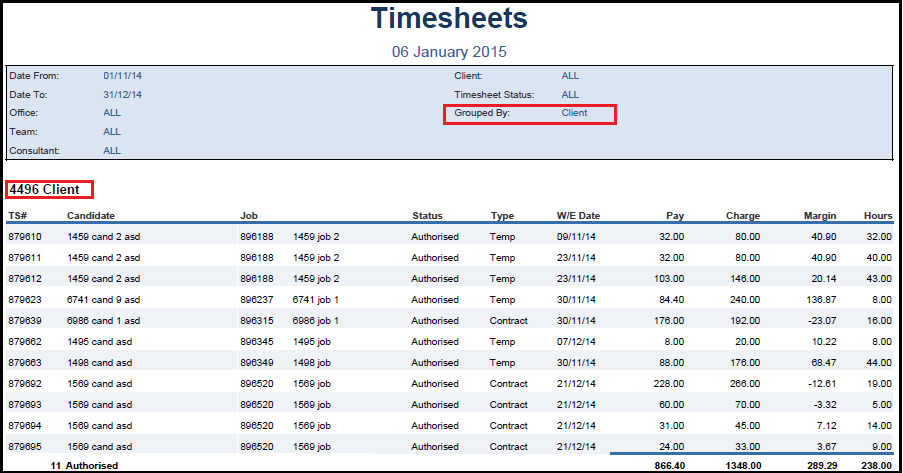
You can choose to Group the report presentation by:
-
Candidate
-
Client
-
Consultant
Note: To check the Timesheet’s owning region, office, team consultant, look at the Timesheet Details page.
Without using ‘group by’, the report will produce a list of Timesheets for the date range and their status. However grouping can give you 3 different presentations of the information and the totals by group: