Configure Reusable Datatable to Replace Power Notes Table
The Reusable Datatable can be configured to replace the Power Notes table. These changes add a variety of capability, including customizing the columns.
By default, users will see the new Customize Columns field under the settings cog icon. If the below configuration steps are not completed, the Customize Columns modal will display the default set of columns from the TR1__Power_Notes_Tableview field set (located on Task/Event objects). Users will have the ability to add or remove any of these default columns from the table as desired.
-
Navigate to Setup > Object Manager > Column Set (TR1_ATS_Column_Set_c) object > Fields & Relationships > ‘View Type’ picklist and make the following changes:
-
Change the value (not API Name) of ATS to ATS Chevron.
-
Change the value (not API Name) of Table to ATS Table.
-
Add a new value with label and value Power Notes Tasks.
-
Add a new value with label and value Power Notes Events.
-
-
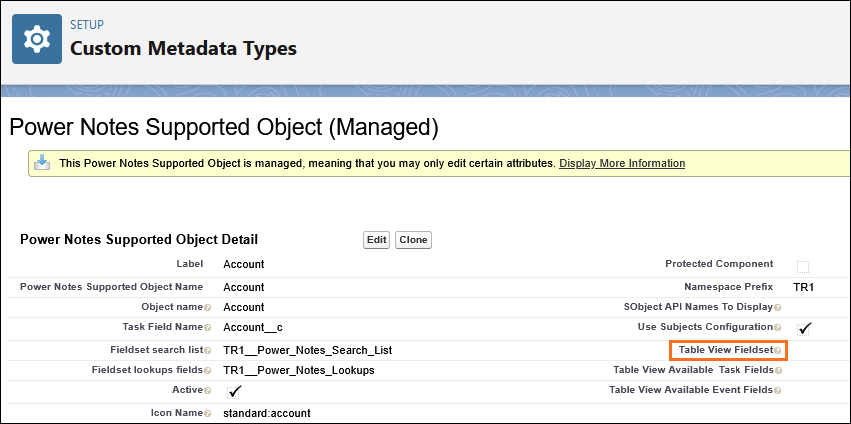
Navigate to .
-
For each supported object custom metadata record, enter the API name of the Task Field Set containing the available fields/columns for the end user in the Table View Available Task Fields field.
If Power Notes Events is used, populate the Table View Available Event Fields field with the relevant Event Field Set.