Amplify Screening: Notify Candidates of Closed Jobs
Amplify Screening
What’s new?
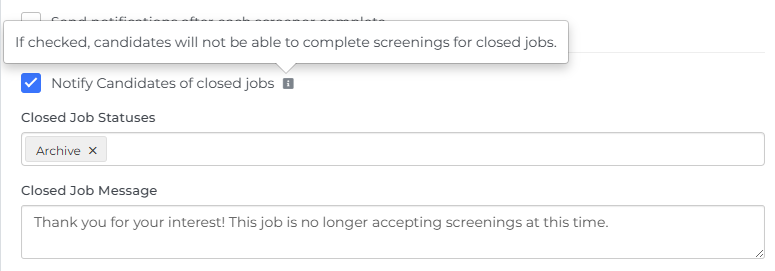
You can now notify candidates when a job is no longer accepting screenings, based on the job’s status in Bullhorn ATS. You can customize the message they see and define which job statuses count as “closed” for the screener.
Why does it matter?
This helps you clearly communicate when jobs are no longer available and prevents candidates from completing screenings for closed roles, creating a smoother candidate experience.
How do I enable this?
This update is automatically available for all customers using Amplify Screener with Bullhorn Automation Amplify Edition. To use it, open your screener engagement settings, select Notify Candidates of Closed Jobs, add the relevant statuses in the Closed Job Statuses field, and update the Closed Job Message if needed.