Amplify Screening: Allow Candidates to Retake Job Screenings
Amplify Screening
What’s new?
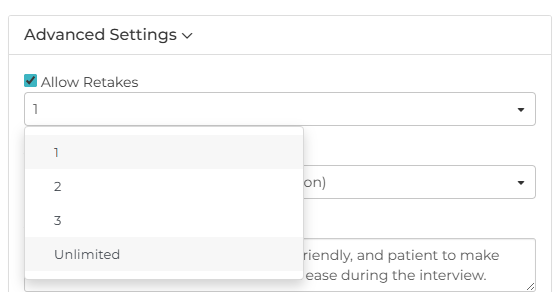
You can now configure screening retake options, allowing candidates 1, 2, 3, or unlimited retakes. When a candidate retakes a screening, screening fields like Status and Score will always reflect the most recent attempt. If you have note creation enabled, all notes from each attempt will remain on the record, giving you full visibility into every take.
Why does it matter?
This gives candidates the chance to retry if they faced interruptions or technical issues, creating a fairer experience while ensuring you still get high-quality screenings.
How do I enable this?
This update is automatically available for all customers using Amplify Screener with Bullhorn Automation Amplify Edition. To use it, open your screener engagement, open the Voice Screener question settings, expand Advanced Settings, and select Allow Retakes. Then choose the number of retakes from the dropdown (1, 2, 3, or Unlimited).