Find a Transaction
These quick finds locate financial transactions and records matching specific criteria. The financials tab is the portal into the pay/bill component in Adapt and visible in systems with an active back office license.
- From Financials on the navigator, select Financial Processing from the fly-out menu.
-
This will display the Quick Find Transaction menu; select the button for a transaction type to locate.
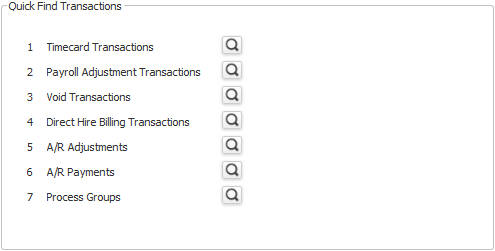
-
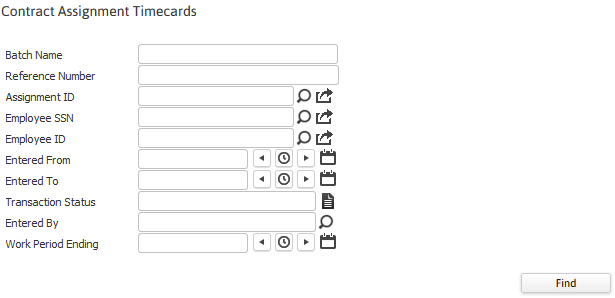
The selected quick find will open to display attribute fields that can be used to look up specific transaction records.
- Click on the buttons to the right of certain fields to open a new window which will allow you to search and select options related to that specific field or choose a date.
- Click Find to locate transactions or clear to empty the attribute fields and start over.
-
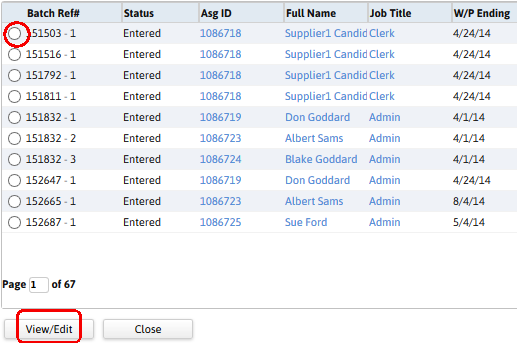
The quick find results will display all records that match the criteria entered.
- The first column of the results is the batch reference number.
- Select the transaction to view and click the view/edit button to open the transaction record in a new window.
Was this helpful?