Time to Fill Summary
This report displays all job orders for the company selected and created within the specified date range. If no company is selected, the report returns all companies. The report is sorted by company and then by date created.
- AccessReporting > Reporting & Analytics > System Reports > Sales.
- Double-click on Time to Fill Summary to open the workflow view in a new window.
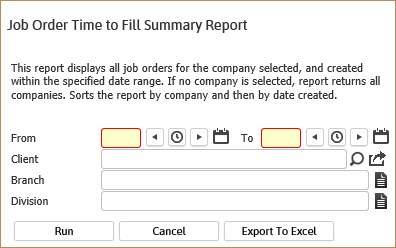
- While updating the form, fields marked in red are required to complete the workflow. Click on the buttons to the right of certain fields to open a new window which will allow you to search and select options related to that specific field or choose a date.
- The From and To dates are for created dates of the job orders.
- The Client, Branch and Division are additional optional criteria to further filter the report results. These options will match to the Job Order records.
-
Click Run to generate the report. Click Export to Excel to generate a spreadsheet.
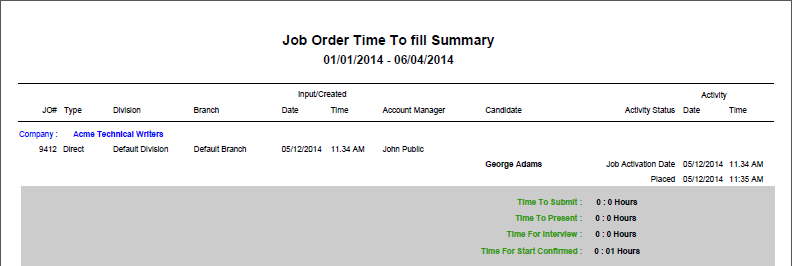
- The header displays the report name and the From/To dates selected. The data is then sorted by Company Name. For each company, job orders are listed and statistics displayed for each candidate submitted for the job order.
Full Report
Workflows that Update Report
The following workflows will update the Job Order Time to Fill Summary report:
Was this helpful?