Running a Report
Overview
Bullhorn Back Office has a number of financial and operation reports you can use to keep tabs on your business. This article contains information on how to run reports.
Steps
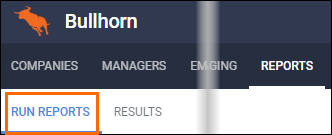
- Navigate to the Reports tab.
- Click the Run Reports sub-tab if it is not selected.
- Scroll through the list until you find the desired report.
- If you know the name of the report you want to run, you can type it into the search bar to filter.
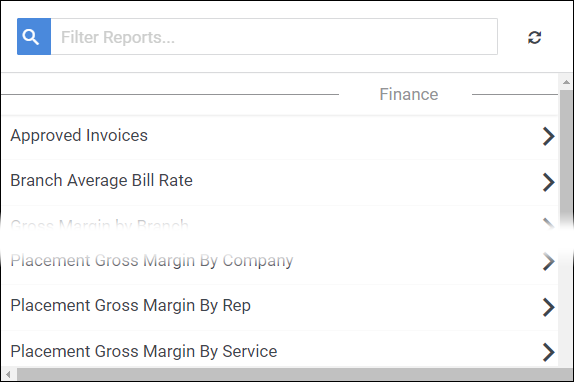
- Clicking on the name of a report in the list will bring up a panel with additional options.
- Some reports will ask for additional information, such as branch or start and end dates.
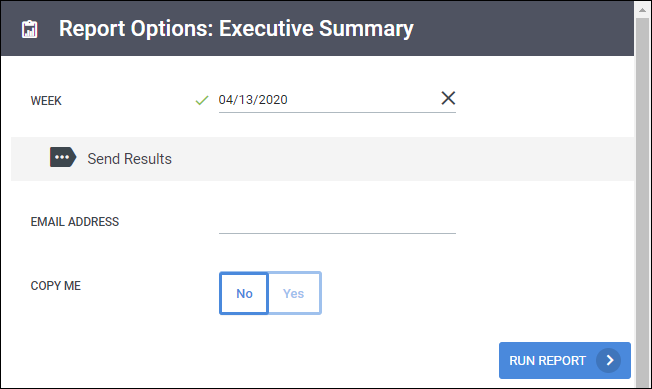
- If you would like the results emailed to someone in your office, enter their email information into the Email Address field.
- If you would like the results sent to your email, toggle Copy Me to Yes.
- Whether or not you enter email information, the report results always appear on the Results sub-tab.
- If you would like the results sent to your email, toggle Copy Me to Yes.
- Once the options for the report are filled out as desired, click Run Report.
- The Results tab will automatically open. Select Download Documents under the report you just ran to view the report.

Was this helpful?