Amplify Extract: Incomplete Queue
Amplify Extract uses AI to read and parse timesheet images in , automatically extracting key details, such as candidate name, client, placement, week ending date, and time entries. This allows Admins to review, adjust, and approve timesheets faster and with less manual effort.
Amplify Extract includes an Incomplete Queue that allows you to review all incomplete files submitted to Amplify Extract. A file is marked incomplete if Amplify Extract is unable to parse necessary information from the submitted timesheet image. Follow the steps below to review timesheets in the Incomplete Queue.
Reviewing Incomplete Files
-
In Amplify Extract, click Review on the Incomplete summary tile.
-
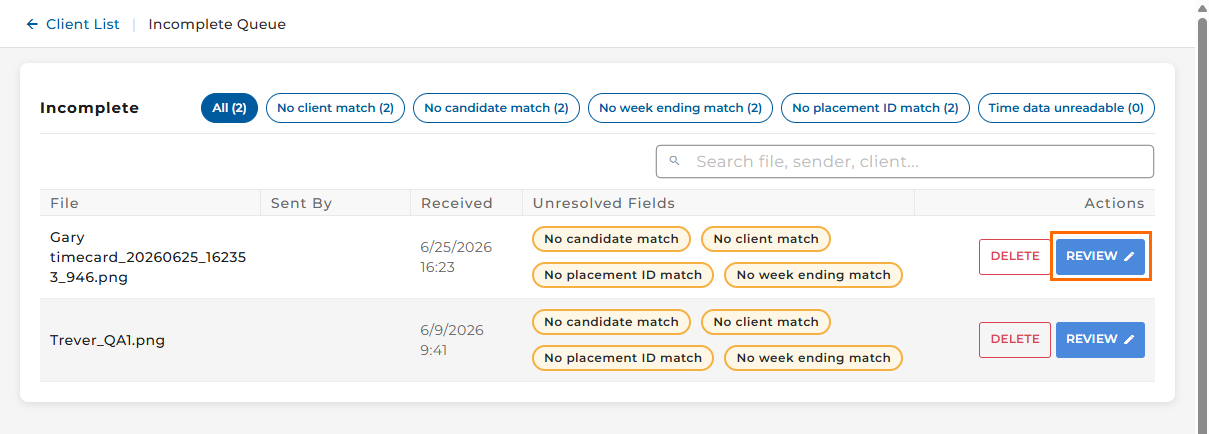
The Incomplete Queue will open, displaying a list of timesheet files that have been flagged as incomplete. Here you can find a particular file by filtering or searching.
-
To review an individual file, click the blue Review button.
-
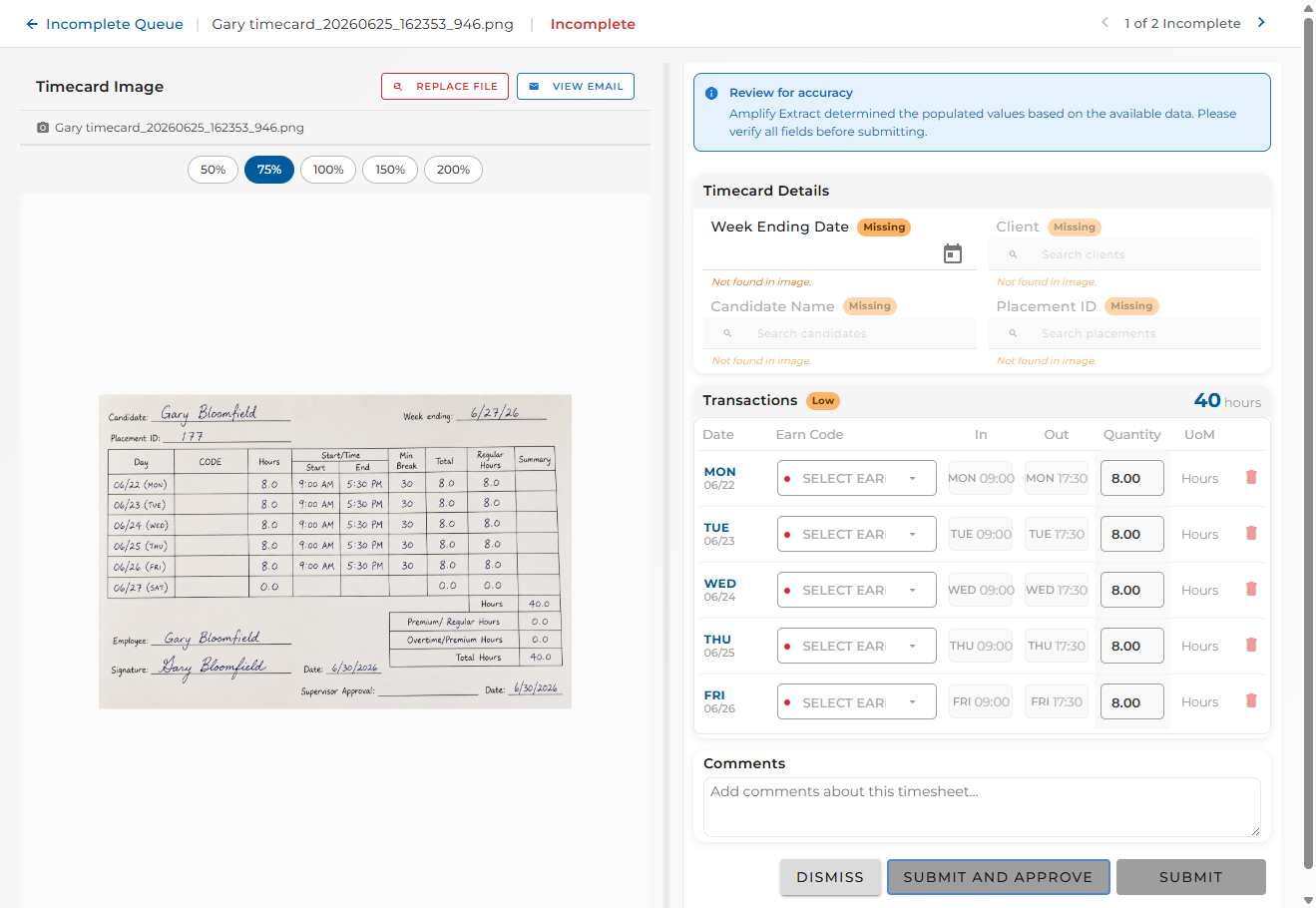
The file will open, allowing you to:
-
Review the image and the email it came from
-
Fill in the missing details and add comments
-
Dismiss
-
Submit and Approve
-
Submit (without approving)
-
Deleting an Incomplete File
-
In Amplify Extract, click Review on the Incomplete summary tile.
-
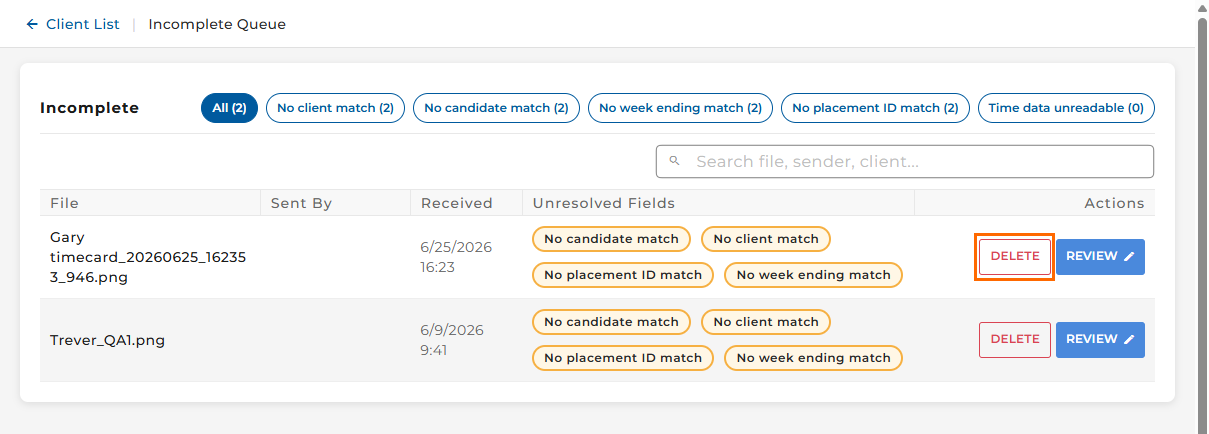
The Incomplete Queue will open, displaying a list of timesheet files that have been flagged as incomplete. Here you can find a particular file by filtering or searching.
-
To delete an individual file, click the Deletebutton.
-
Click Delete on the popup.