Delete Web/Mobile Login
This workflow will delete the current user’s Adapt Web Services/Mobile login. If you have Front Office Administration permission, you can also delete a web login for another user.
You do not need Adapt Admin access to run this workflow.
- Mouse over Administration on the main navigator and then select Administration.
- Select Delete Web Login from the General Settings section of the segment.
- The Delete Adapt Mobile Web Login workflow will open in a new window.
- If you are an Adapt Admin user, you can delete logins for other users.
- Select the User for which you want to delete the login using the droplist and click confirm.
-
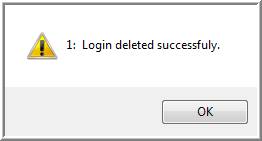
When the process is complete a confirmation message will display; click Ok to clear the message.
Was this helpful?