Set User Home Page
This workflow allows you to select the home page for your user. The Home page displays when you first log in to Adapt. It also displays if you select the Home option under My Adapt.
- Mouse over Administration on the main navigator and then select Administration.
- Select Set User Home Page from the General Settings section of the segment.
-
The Adapt screen will refresh to display the Set Home Page segment. Use the droplist to select your home page (see options below). Once you are satisfied with your selection, click Set.
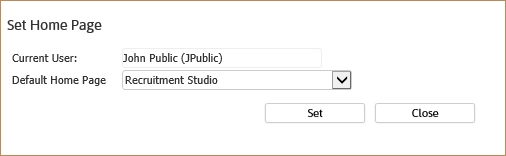
You can make any of the following pages your Home page:
Was this helpful?