Creating a Tax Profile
Overview
This article contains information on how to set up tax profiles that can be applied to billing contacts for invoicing purposes.
Steps
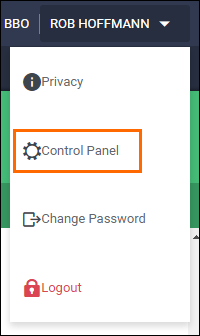
- Access the Control Panel.
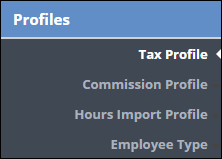
- Select Profiles then Tax Profile.
- Enter in a Tax Name and Rate.

- Click Save to confirm your changes.
The Tax Profiles will now be available at the Company and Department levels.
Was this helpful?