March 2026 Release: Omnitable Features & Enhancements
Call List Members Omnitable
-
Feature: Omnitable
-
Level of Configuration: Low
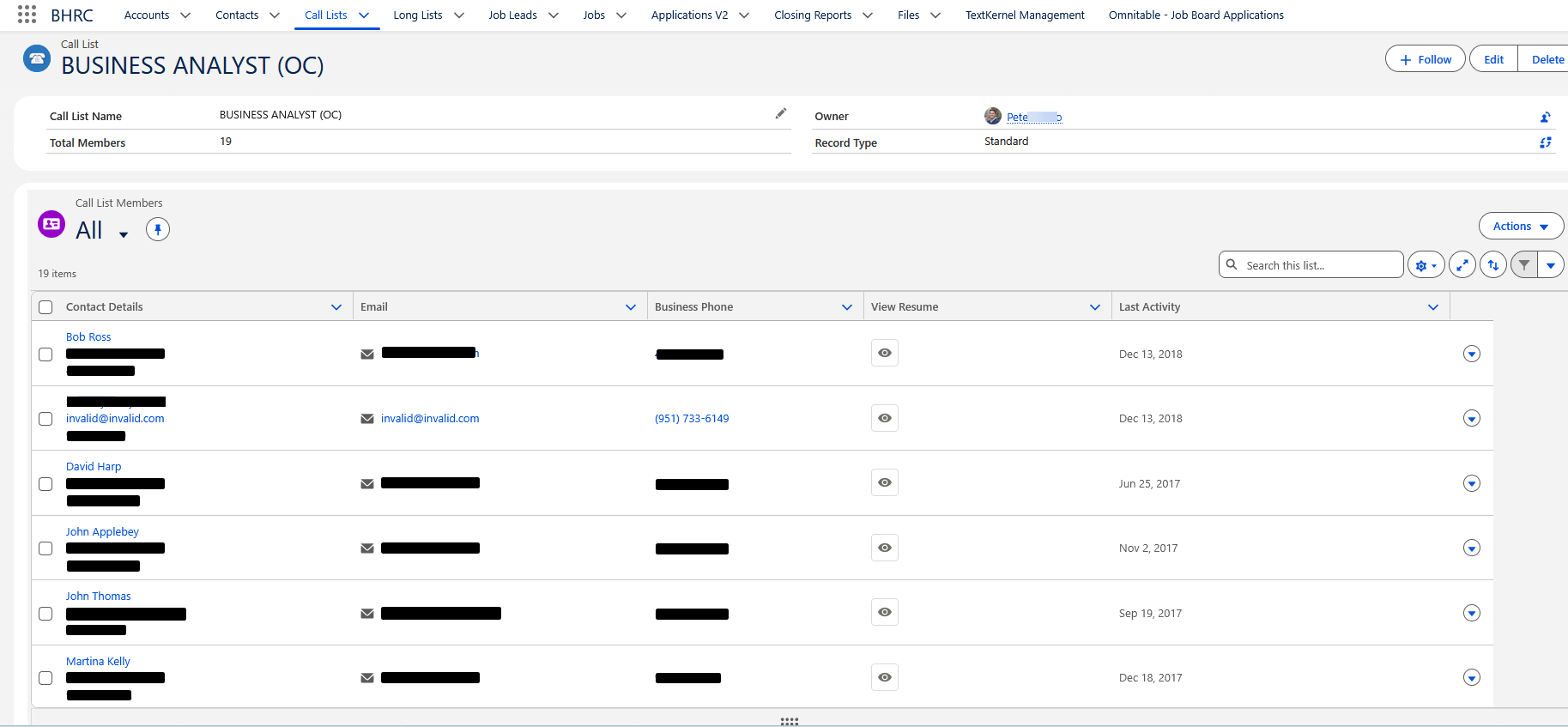
From this release forward, you will be able to add a “Call List Members” Omnitable to Call List records. You will get all the Omnitable features with greater functionality and flexibility than a standard Related List.
The default columns are shown below, but they can be customized:
-
Call List Member First Name
-
Call List Member Last Name
-
Call List Member Email
-
Contact Account
-
Call List Record Type
Under the Actions dropdown, you will see the following options:
-
Add New Call List Member
-
Send Email to Members (Standard Call Lists)
-
Market Candidate (Candidate Marketing Call Lists)
-
Add To Another Call List
-
Move To Another Call List
-
Delete Members
-
Create Longlist
-
Create a PowerNote
Configuration Steps
-
Go to . This is the JSON configuration that contains the out-of-the-box configuration and that users can customize.
-
To add the “Call List Members” Omnitable to Call List records, follow the instructions provided in Step 2: Add an Omnitable as ‘Standalone’ or as ‘Related List’ to any object of the Omnitable Configuration Guide. When entering the “Omnitable API Name” in the Lightning page, enter
CallListMembers.
Omnitable Record Limit Warning Message
-
Feature: Omnitable
-
Level of Configuration: None
Omnitable now displays a clear warning message when you reach the 2,000 record display limit while scrolling. When the limit is reached, the message "This table cannot load more than 2,000 rows" appears. Refine your filters to narrow down the result set.