July 2026 Release: Omnitable Features & Enhancements
Clickable Stage Chevrons
-
Feature:Omnitable
-
Level of Configuration: Low - Medium
You can now click directly on a stage chevron in the Omnitable stage path to move a candidate to that stage, without using the row action menu.
This applies to both Job ATS and Candidate ATS Omnitable views. When a stage change requires additional data entry such as Internal Interview, Send Out, Offer, or Closing Report the relevant modal opens automatically.
The Omnitable row refreshes immediately after the change is confirmed, so you always see the current stage without a manual page reload. If you do not have permission to change stages, the chevron remains non-interactive.
Configuration
Add the following to the Omnitable configuration. See example below:
"columnOverrides":[ {
      "fieldName": "TR1__Stage__c",
      "renderer": "tr1/omnitableChevronPath"
    },
]
{
  "objectName": "TR1__Application_V2__c",
  "defaultFields": "omnitable_default",
  "availableFields": "omnitable_available",
  "contextFilterFieldName": "TR1__Job__c",
  "infiniteScrollInitialChunkSize": 50,
"maxRowSelection": 20,
   "infiniteScrollChunkSize": 20,
"visibilitySettings": {
"headerVisibilitySettings": {
"hideObjectIcon" : false,
"hideObjectLabel" : false,
"hideNamedViewSelector" : false,
"hideInfoText" : false,
"hideQuickSearch" : false,
"hideRefreshButton" : false,
"hideFullscreenButton" : false,
"hideFilterControls" : false,
"hideCustomizeColumnsMenuItem": false,
"hideResetSortMenuItem": false,
"hideColumnSortButton": false
}
},
"columnOverrides":[ {
      "fieldName": "TR1__Stage__c",
      "renderer": "tr1/omnitableChevronPath"
    },
]
}
Making a Custom Chevron Clickable:
-
Override the flow CAF_Move_To_Stage_Omnitable_Chevron.
-
Create a new Outcome (you can copy one of the packaged branches, see highlighted area in the Flow screenshot).
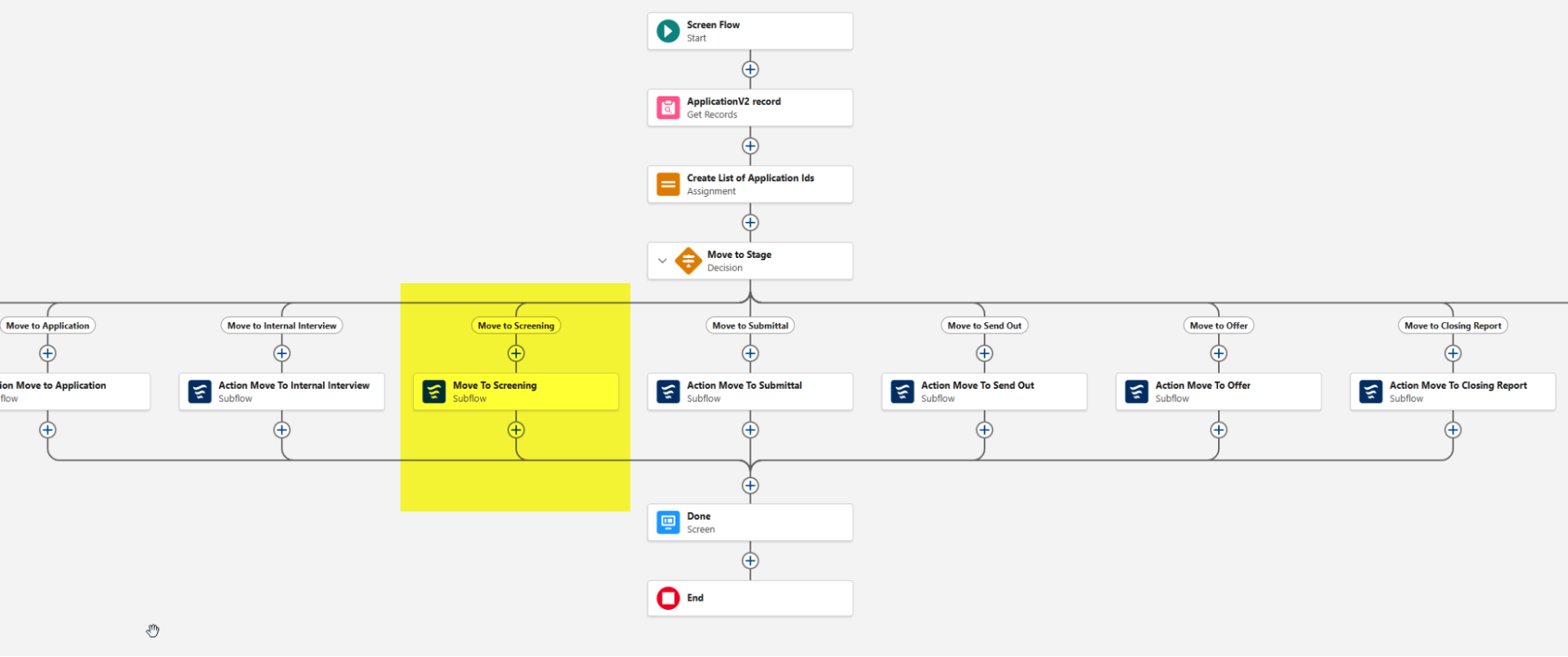
-
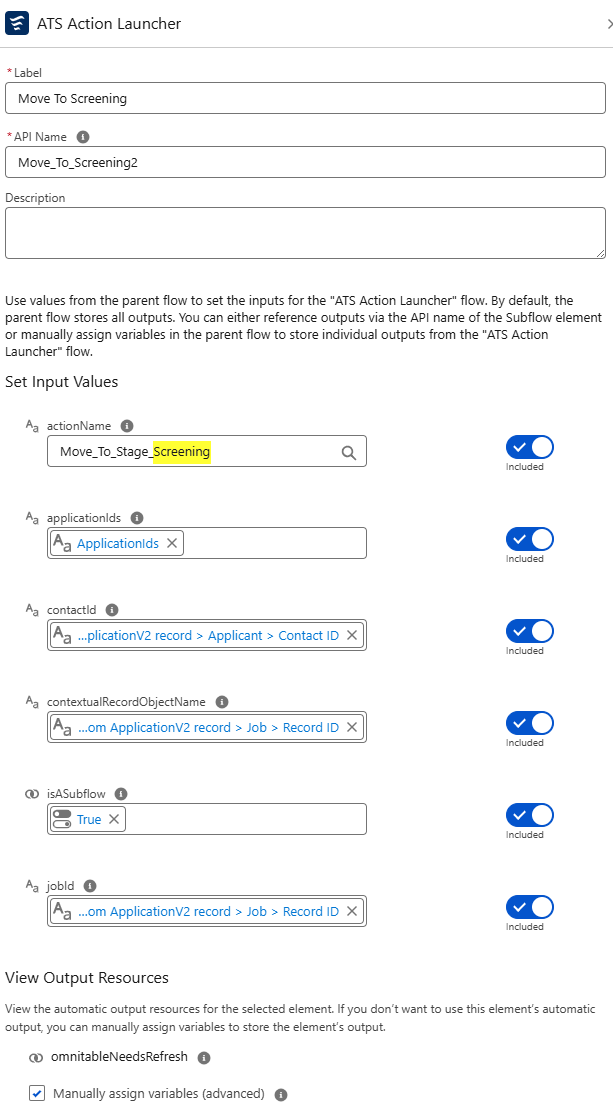
Fill out the following Values in the sub flow except for actionName (you can copy everything from Action Move To Internal Interview).
-
Change actionName to Move_To_Stage_StageName ( you can find the StageName in ATS New Stage Config).
-
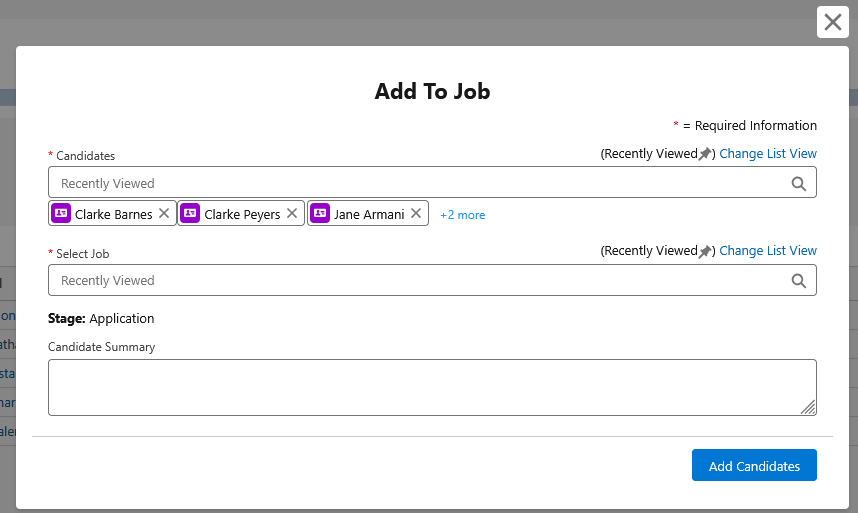
“Add to Job” Flow Based Action Added to Call List Members Omnitable
-
Feature:Omnitable
-
Level of Configuration: None
The new flow-based action is available from the Actions dropdown out of the box. It supports standard and bulk action and both package or custom validation.
No configuration required for the out-of-the-box action, but users can make changes by overriding the packaged Flow (AEF_Add_To_Job ) and introducing their customizations (e.g., add the ability of choosing stage, intermediate screens etc.)