Accessing Salesforce VMS Sync Submittals
- To access VMS Sync Submittals in Salesforce, you must first make sure you have processed the Job.
- The Job is processed when it is moved to a Closing Report status. For details, see Job ATS v2: Job Stages.
- Navigate to the Jobs tab.
- Select your desired job.
- To find the desired job, click the dropdown under Jobs. You can select the job from the list or search for it by entering a search term into the Search lists... field.
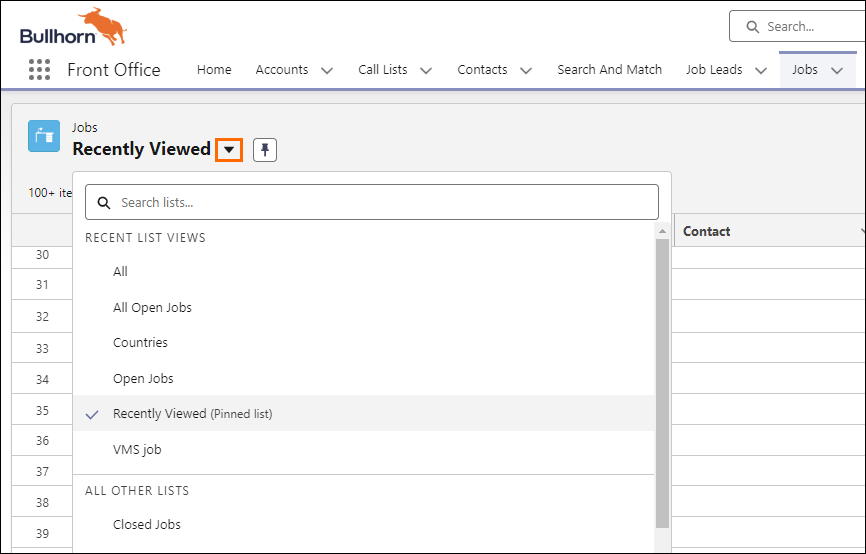
- To find the desired job, click the dropdown under Jobs. You can select the job from the list or search for it by entering a search term into the Search lists... field.
- Click VMS Submittal.
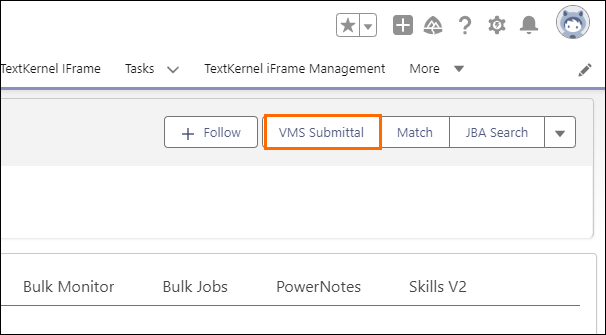
You have now entered Salesforce VMS Sync Submittals.
Next Steps
Now that you're in the right place, you can use VMS Sync Submittals. For instructions, visit the VMS Sync KB article Submit Candidates to VMS Jobs.
Was this helpful?