Local Wage Detail Report
This report provides wage detail on taxable wages and tax withheld sorted by corporation and employee's social security number for the selected local tax authority, year and quarter. This report is only available if the system has a back office license.
- Access Reporting > Reporting & Analytics > System Reports > Government or Financials > Financial Processing > Government Reporting> Activities > Reports.
- Select Local Wage Detail Report to open the workflow view in a new window.
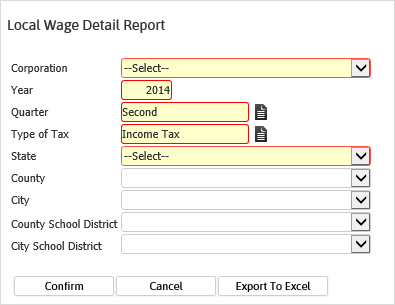
- While updating the form, fields marked in red are required to complete the workflow. Click on the buttons to the right of certain fields to open a new window which will allow you to search and select options related to that specific field or choose a date.
- Select the Corporation for which you want to create a report. If you have only one active corporation, it defaults into this field.
- The Year and Quarter default to current settings, but can be changed.
- The Type of Tax can be either Income Tax (the default) or LST/OPT.
- Select the State using the droplist.
-
You can also drill down to the County,City,County School District and City School Districtlevels by using the droplist on the appropriate field (optional).
The information on the report includes the total State Withholding tax, even if a lower level taxing authority is selected.
-
Click Confirm to generate the report. Click Export to Excel to generate a spreadsheet.
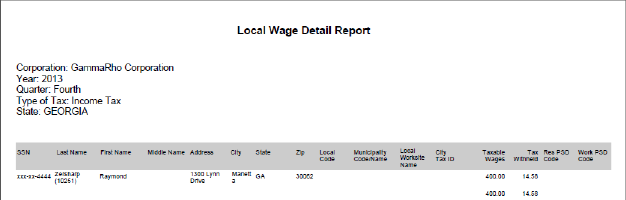
- The header displays the report name, corporation, year, quarter, type of tax, state selected. The report then shows each candidate associated with the selected attributes, including address, local code, municipality code, worksite name, city tax ID, taxable wages, tax withheld, resident PSD code and work PSD code.
Full Report
Was this helpful?