Massachusetts Paid Family and Medical Leave Detail Report
This report provides the data necessary to file the state quarterly contribution report for Paid Family and Medical Leave.
- Access Reporting > Reporting & Analytics > System Reports > Government ORFinancials > Financial Processing > Government Reporting> Activities > Reports.
- Select Massachusetts Paid Family and Medical Leave Report to open the workflow view in a new window.
- While updating the form, fields marked in red are required to complete the workflow. Click on the buttons to the right of certain fields to open a new window which will allow you to search and select options related to that specific field or choose a date.
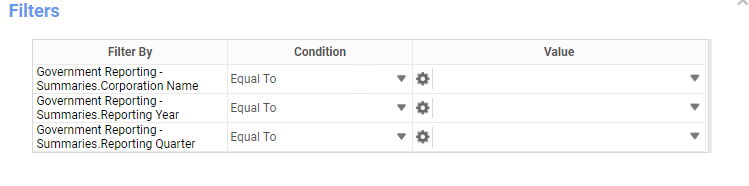
- Select the Corporation for which you want to create a report. If you have only one active corporation, it defaults into this field.
- Select the Year and Quarter default to current settings, but can be changed.
-
Click Okay to generate the report. Click Export to Excel to generate a spreadsheet.
- The header displays the Employee SSN, Employee First and Last Name. The report then shows each candidate associated with the selected attributes, including YTD Paid Family Leave Wages, Quarter Paid Family Leave Wages and Withholding, Percent of Medical and Family Leave Withheld from Employee.
Full Report

Was this helpful?