Manage Workers Comp Codes
This component allows the financial administrator to set up attributes defining rates by Corporation, State and Branch based on job classification (workers comp codes). This information can then be used to estimate the employer workers’ comp portion of burden on an assignment. The information can also be used in transaction processing to calculate employer and/or employee burden with regards to workers’ comp and in reporting.
Permission for this component is granted via the manage workers comp codes permission under the financial administration category; default with financial administration security profiles.
- Mouse over Administration on the main navigator and then select Administration.
- Select Manage Workers Comp Codes from the Financial Administration section of the segment to access the component.
-
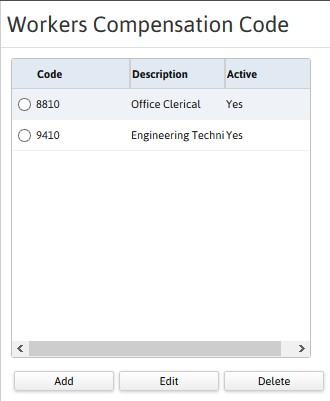
The Manage Workers Comp Codes segment is displayed.
- All workers compensation codes in the system are located in a list box.
- Add/Update/Remove codes through the workflow buttons below the box.
-
Associate codes and corporations through the Workers Compensation Detail segment.
- All codes associated with corporations are listed on the segment.
- The attribute fields and find button filter the user list box.
- Access the WC Code record through the state link.
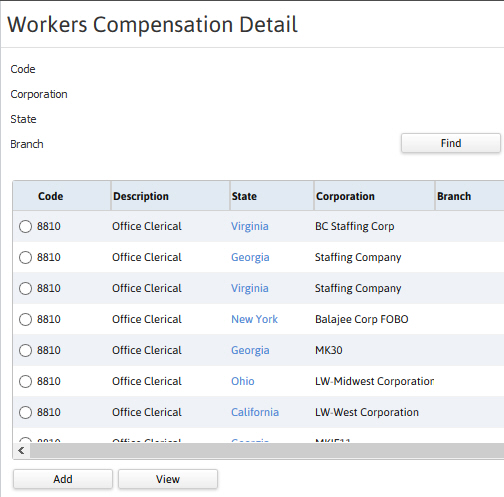
- Click Add to Add Workers Comp Details. For more details, click Here.
-
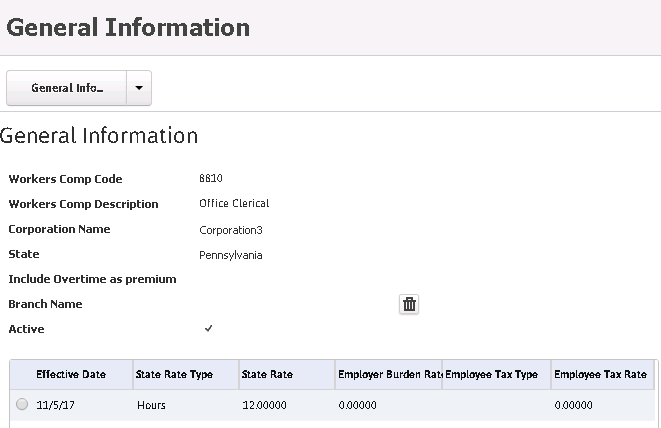
Click View to view the General Information page as shown below:
-
Click Delete icon to delete the linked Worker Comp Code Branch.
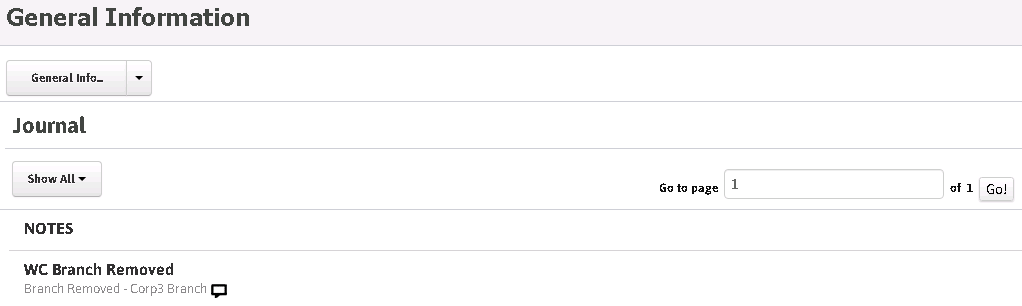
A journal entry 'WC Branch Removed' is recorded to show the removed branch as shown below: