Workers Comp Summary
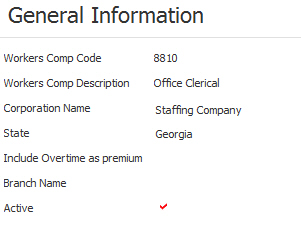
The summary segment of a workers comp detail record contains general information.
Permission for this component is granted via the manage workers comp code permission under the financial administration category; default with financial administration security profiles.
-
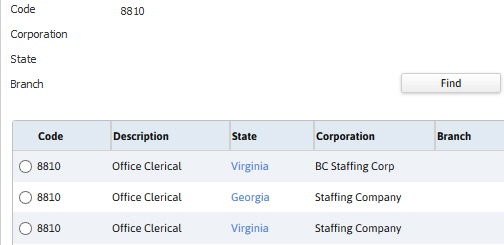
Filter the list box on the Workers Compensation Detail segment to find a record.
- Use the Find button to open the Set Filter workflow.
- Input criteria, viewable above the list box, and click run to filter the list box.
- Click on the state code to view the record or select the record and click the view button.
-
After selecting a record the screen refreshes to display the Summary segment.

Was this helpful?