April 2026 Release: Bulk Action Framework Features & Enhancements
Bulk Action Framework
-
Feature: Bulk Action Framework
-
Level of Configuration: Low
This enhancement introduces the possibility of configuring Bulk Actions so that the fields that would normally be filled in by the Automated User name (like ‘Created by’, ‘Last Modified by’, etc.) are instead populated with the Context User’s Name.
If the new setting is not selected, the current behaviour is retained: when users (or AI Agents) initiate a Bulk Action (e.g., Mass Email, Mass Placement, Add to Call List in bulk, etc.), the system offloads the execution to a generic user ("Automated Process User”). Consequently, all downstream records created by this process (Tasks, Applications, Logs) are attributed to the generic user rather than the initiating user.
Please refer to this article for more details: Bulk Action Framework
Support for available actions will be added iteratively in the next few releases. In this release, we have added support for the following actions:
-
ATSv2> Apply To Other Job (bulk action that creates Applicationv2 records)
-
ATSv2> Internal Interview (bulk action that creates SendOut Schedulev2 records)
-
ATSv2> Move To Stage (bulk action that creates Applicationv2 records)
-
ATSv2> Add To Call List (bulk action that creates Call List Member records)
-
ATSv2> Reject/Unreject (bulk action that updates Applicationv2 records)
-
USAM> Add To Job (bulk action that creates Applicationv2 records)
-
USAM>Add To Call List (bulk action that creates Call List Member records)
-
Call List> New Application (bulk action that creates Applicationv2 records)
Configuration Steps
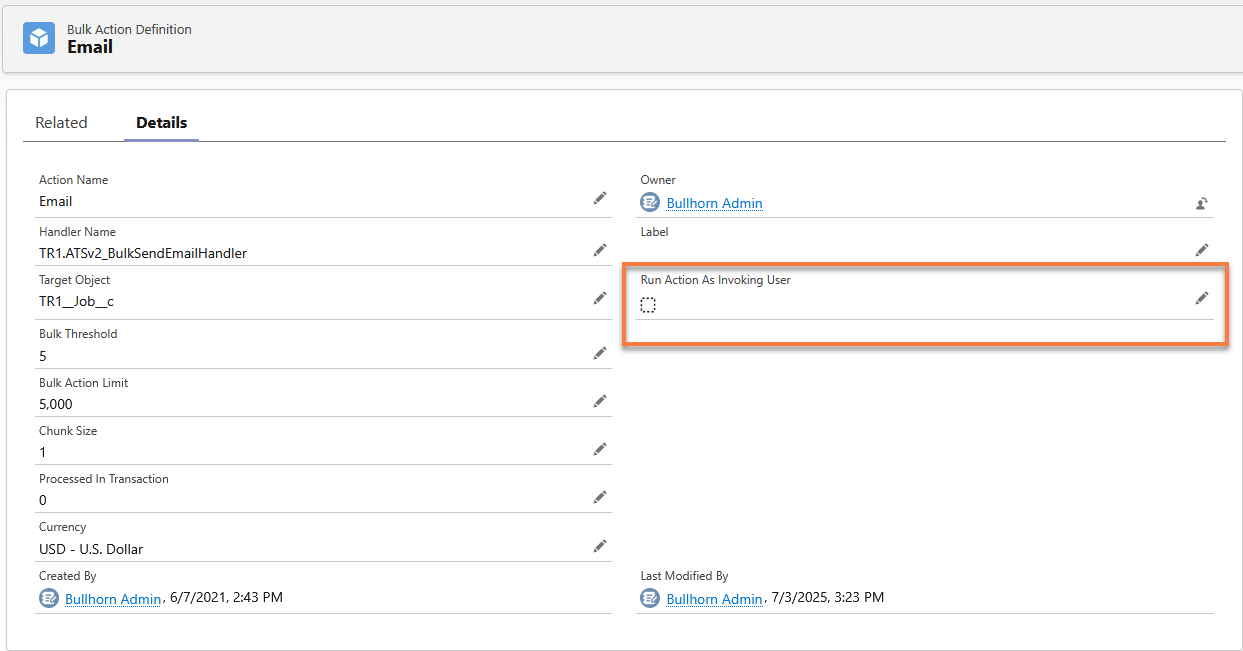
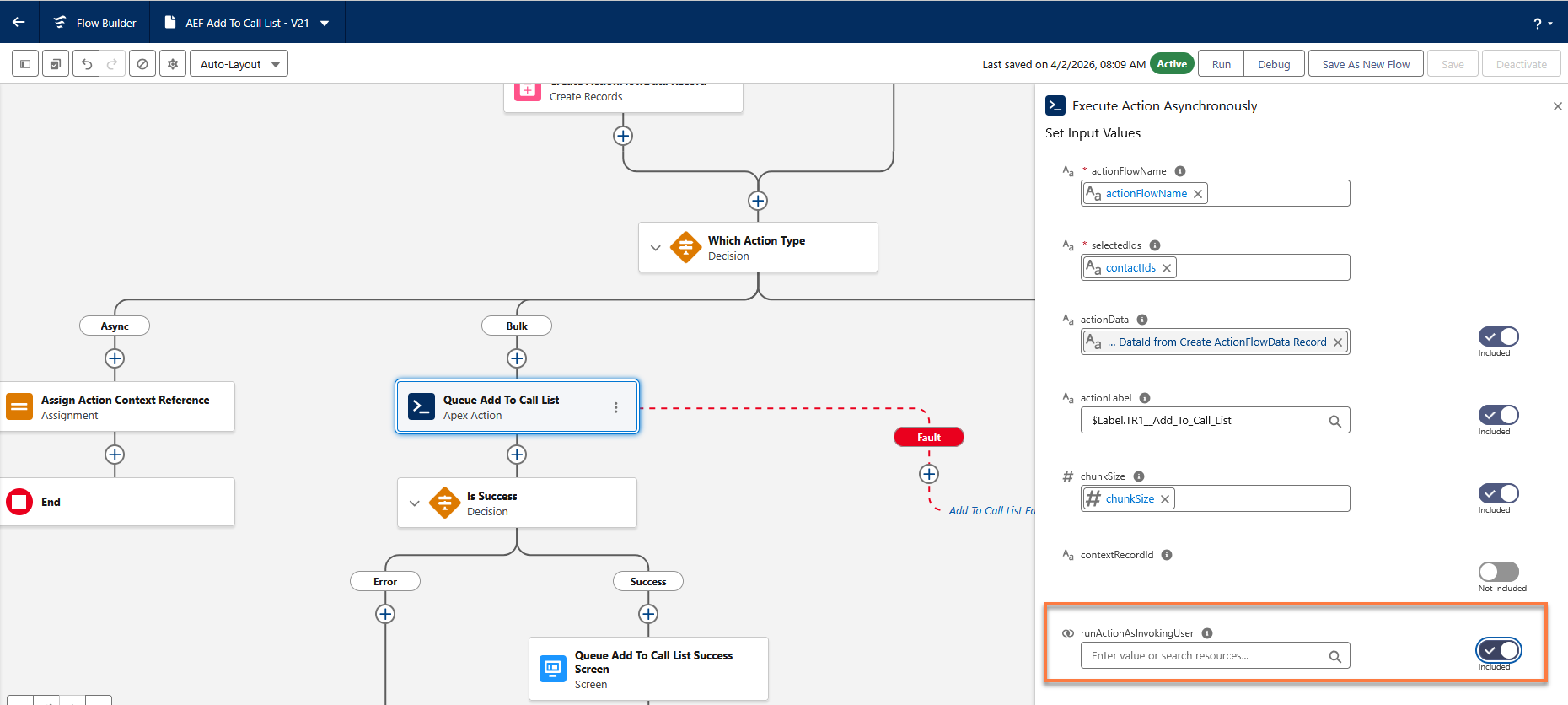
This is an opt-in feature. To enable it, set the Run Action As Invoking User field to True on the relevant Bulk Action Definition record. Once enabled, the User field on records created by the bulk action will show the name of the context user. This option is also available for Flow-based Actions that run as bulk actions.
When we send emails in bulk:
-
User invokes EML_BulkSendEmailHandler
-
EML_BulkSendEmailHandler invokes EML_BulkEmailActivitiesHandler
To run the action as the invoking user, both those records must have the Run Action As Invoking User checkbox enabled. If the first one does not run as the invoking user, then the second one can never do so.