April 2026 Release: Contextual Data Viewer (CDV) Features & Enhancements
Resume Preview in Contextual Data Viewer
-
Feature: Contextual Data Viewer
-
Level of Configuration: None
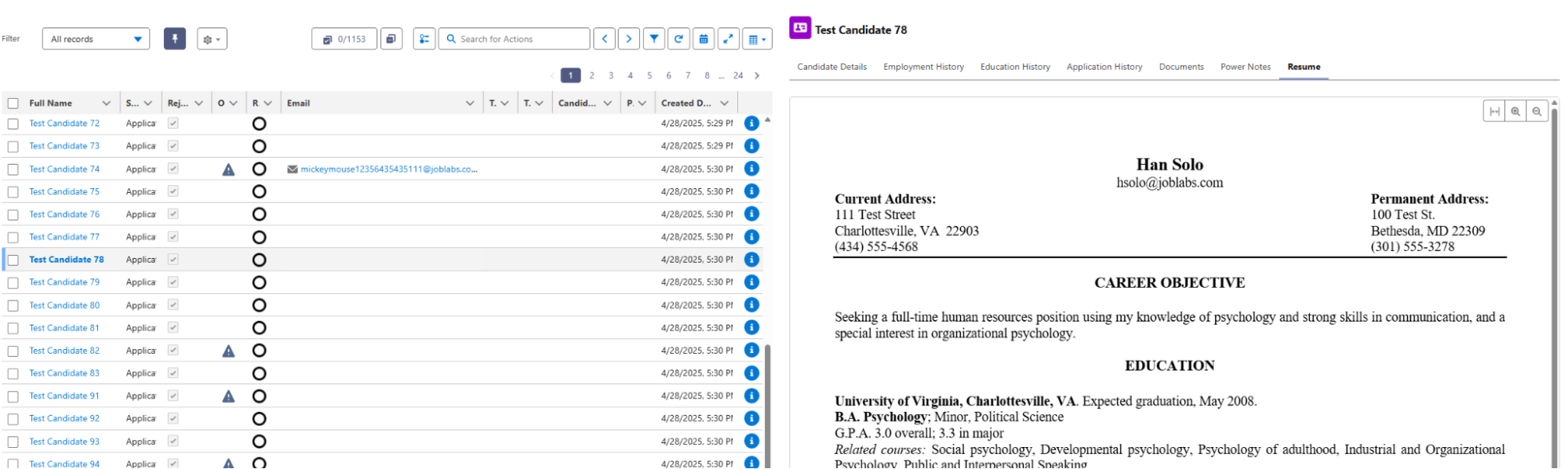
You can now view a candidate's resume directly within the Contextual Data Viewer (CDV) without navigating away from the Omnitable or ATSv2. A new Resume tab embedded in the CDV displays the candidate's default resume inline, eliminating the need for multiple clicks and reducing the time spent switching between views.
Previously, accessing a candidate's documents required navigating away from the CDV, interrupting the recruitment workflow and adding additional load time.
Was this helpful?