August 2026 Release: Omnitable New Features & Enhancements
New Feature: Omnitable for Account List Members
-
Feature: Omnitable
-
Level of Configuration: None
The Account List record page now includes a pre-configured Omnitable that displays all Account List Members.
Previously, Account List Members could only be viewed through the standard Salesforce Related List, which offered limited filtering capabilities and no bulk action support. The new Omnitable ships out of the box with a default column set and all standard Omnitable features.
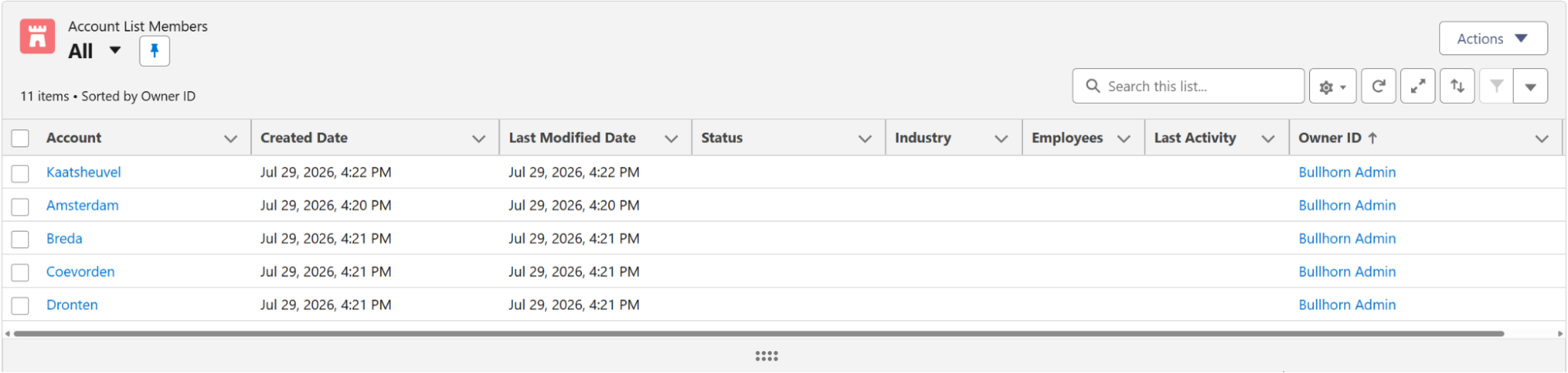
For orgs with customized Account List record pages: if your Account List record page has a local override, the managed package layout will not be applied automatically. Follow the configuration steps below to add the Omnitable manually.
To Add the Omnitable Manually:
-
Go to .
-
Open your customized Account List record page.
-
Add the Omnitable (or Omnitable Plus) component.
-
Set the Omnitable API Name to AccountListMembers.
-
Save the page.
Add New Members for Omnitable for Account List Members
-
Feature: Omnitable
-
Level of Configuration: None
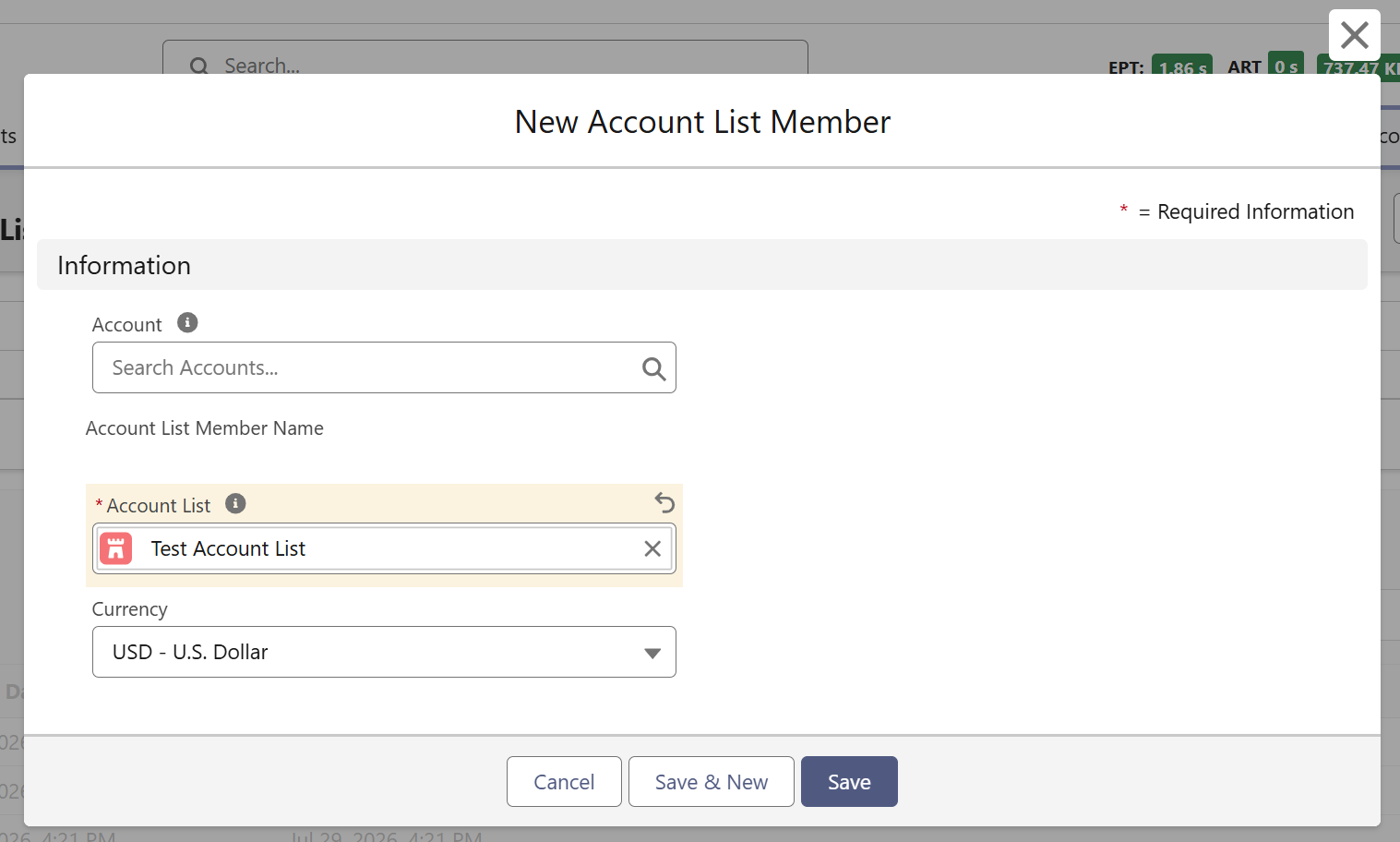
The Add New action ships out of the box as part of the default Account List Members Omnitable. No setup is required.
You can now add new members to an Account List directly from the Account List Members Omnitable using an Add New action. When triggered, the standard Account List Member record form opens with the Account List lookup pre-populated with the current list, so users can add records without navigating away.
Add Members to Another Account List for Omnitable for Account List Members
-
Feature: Omnitable
-
Level of Configuration: None
The Add Members to Another Account List action ships out of the box as part of the default Account List Members Omnitable. No setup is required.
You can now copy selected Account List Members to another Account List directly from the Account List Members Omnitable, without removing them from the source list. Select one, multiple, or all records, then choose a target Account List — or create a new one on the fly. The action supports bulk and asynchronous processing for large selections and provides a notification when the operation completes.