Change Credit Status
Use these instructions to change the credit status of a company.
-
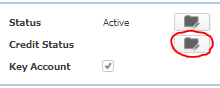
From the company’s summary segment, click on the workflow button beside the Credit Status field.
-
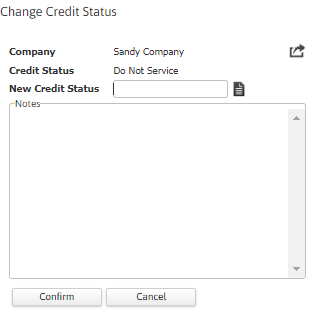
The Change Credit Status workflow will open in a new window.
If the 'Manage Credit Status' permission (under Administration>Administration>General Administration>Manage Security Profiles) is turned to No, you will not be able to open this workflow.
- Select the new status in the New Credit Status field.
-
Click Confirm to complete the workflow.
- After completing the workflow you are returned to the Summary segment and the field is updated.
-
Verify the Company Credit Status Updated and notes from workflow are posted to the journal.

Was this helpful?