Change Recruiter for Company
Use these instructions to change the recruiter from the summary segment of a company.
-
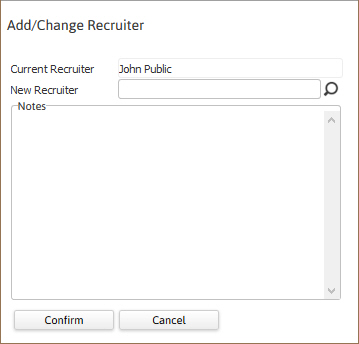
From the summary segment, click on the workflow button beside the Recruiter field, at the top of the page.

- The Add/Change Recruiter workflow opens in a new window.
- Enter the new Recruiter name or leave blank to delete the current recruiter; clicking the icons to the right of the field will allow you to look-up available recruiter names.
-
Add notes and click Confirm to complete workflow.
- After completing the workflow you are returned to the Summary segment and the changes are reflected in the Recruiter field.
-
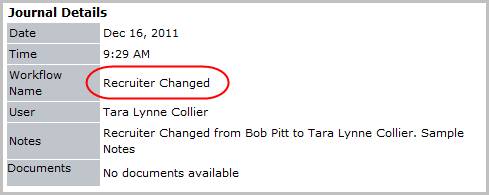
Verify the Recruiter Changed entry and notes entered during the workflow are posted to the journal.
Was this helpful?