Create Search Results of Selected Candidates
Use these instructions to create a saved search of all Candidates linked to a Job Order.
-
Select the candidates to add to the search listing from the Submittal Tracking segment and click the Create Search Result workflow button below the list box.
- The Create Search Results of Select Candidates workflow will open in a new window.
-
Click run to generate search.
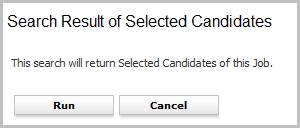
- The search results will list all Candidates who were selected from the Submittal Tracking segment.
Was this helpful?