Delete PayBill Code
The delete paybill code workflow removes a code record; if the record is assigned to a candidate/employee, assignment, direct hire billing or timecard record it cannot be deleted.
Permission for this component is granted via the manage paybill code permission under the financial administration category.
-
From the Manage PayBill Code segment, select a PayBill Code and click the Delete button below the list box.
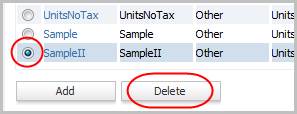
-
The Delete Confirmation will open in a new window.
- If there are records attached to the PayBill Code the delete workflow will not complete; edit the PayBill Code record and remove the active flag instead.
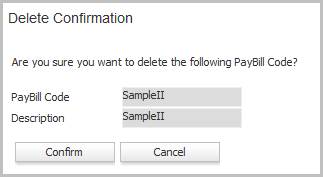
- Clicking Confirm completes the workflow and returns to the Manage PayBill Code segment.
-
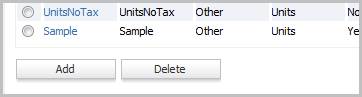
The PayBill Code is no longer listed in the list box.
Was this helpful?