Manage PayBill Codes
This component allows the Financial Administrator to set up codes and attributes that can be associated/added to assignment and timecard records. The attributes of the Pay/Bill Codes set up the designation of taxability, measurement, earnings and eligibility. The information contained in the attributes will be used when processing payroll transactions and determining, earnings, withholdings and/or deductions.
Permission for this component is granted via the manage paybill code permission under the financial administration category.
Manage PayBill Codes also allows you to manage your invoice templates. Click here for more information.
- Mouse over Administration on the main navigator and then select Administration..
- Select Manage PayBill Codes from the Financial Administration section of the segment to access the component.
-
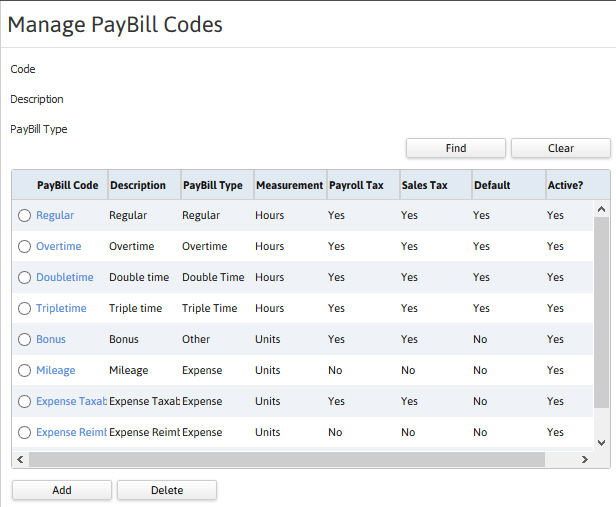
The Manage PayBill Codes segment is displayed.
- The attribute fields and find button filter the codes list box.
- All PayBill Codes in the system are located in a list box.
- Create and remove codes through the Add and Delete buttons below the list box.
- Access the code record through the blue link.
Was this helpful?