Employer Costing Process Search Results
The Employer Costing Process Search Results screen allows you to quickly view the processes that have been run (both Clean and Calculate processes)
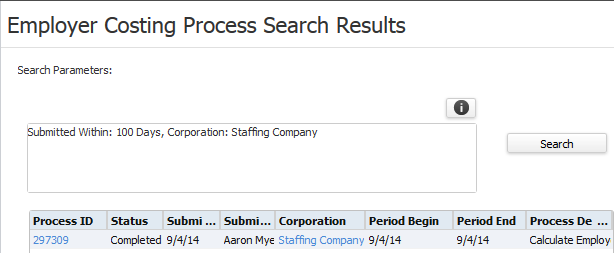
You can filter the list by Process ID, Process Status, Submission Date, Submitted By and Corporation by clicking on the Search button.
The grid displays the following information:
- Process ID: Required if you are going to print the Employer Costing Register by process number.
- Status: Indicates whether the process completed, failed, is still in process, etc.
- Submit Date: The date on which the process was run.
- Submitter: The user that ran the process.
- Corporation: The Corporation for which the process was run.
- Period Begin: The beginning period date for which the process was run.
- Period End: The ending period date for which the process was run.
- Process Description: Indicates whether this was a Calculate or Clear process.
- Cleared: If Yes, indicates that the process ID has been cleared. If blank, the process ID has data.
To run the process, click the Employer Costing Process workflow.
Was this helpful?