Manage Security Profiles
Security Profiles are a set of permissions that determine which systems, system components, workflows and/or functions are accessible to a user. Two security profiles are standard with each system (Staffing Front and Back Office AND Financial Administration for back office systems, Staffing Front Office and General Administration for front office only systems) and custom profiles can be created from those to give or remove permissions based on business or user role needs.
Manage Security Profiles works with User Branch Access to form your security structure. If User Branch Access controls where the user can perform actions or view data, Manage Security Profiles controls what the user can perform or view.
- Mouse over Administration on the main navigator and then select Administration..
- Select Manage Security Profiles from the General Administration section of the segment to access the component.
-
The Manage Security Profiles segment is displayed.
- All Security Profiles in the system are located in the top list box.
-
Control buttons to create and maintain profiles are below the list box.
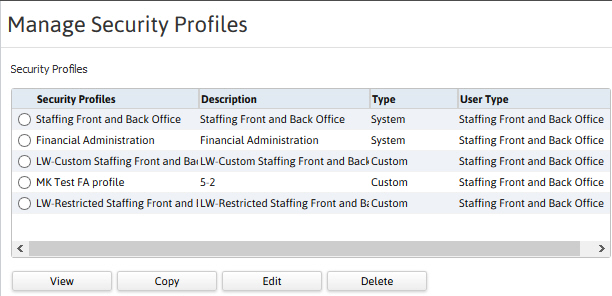
- Select a security profile and click View to view permissions below the list box.
- Permissions are filterable based on category.
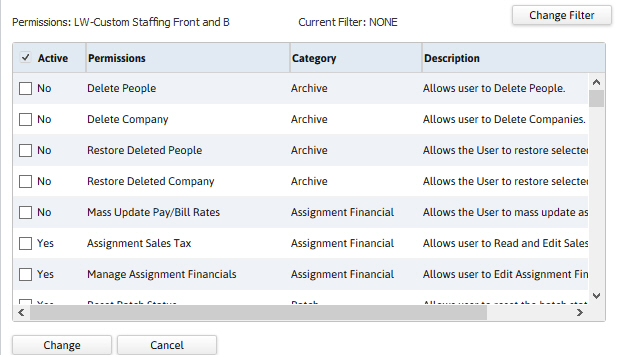
-
Permissions are activated/deactivated with the controls below the permissions list.