OFCCP Applicant Breakdown Report
This report provides a summary count and percent of all applicants for the search criteria specified, broken out by disposition, race and gender.
- AccessReporting > Reporting & Analytics > System Reports > Management.
- Double-click on OFCCP Applicant Breakdown to open the workflow view in a new window.
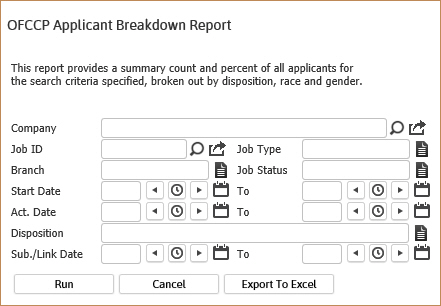
- While updating the form, click on the buttons to the right of certain fields to open a new window which will allow you to search and select options related to that specific field or choose a date.
-
Selecting any of the following criteria to filter the report results:
- Companywill report applicants for all Job Orders associated with this Client.
- Job ID will report the applicants for only the Job Order number entered.
- Job Type will report applicants for only the Job Type selected.
- Branchwill report all applicants for all Job Orders within that Branch.
- JobStatus will report applicants for all Job Orders with the chosen status.
- Start Date fields will report applicants for all Job Orders whose start dates fall within the chosen date range.
- Act. Datefields will report applicants for all Job Orders created within the date range.
- Dispositionwill report applicants for all Candidate Submittals that match the chosen disposition.
- Sub./Link. Datewill report search details for all applicants linked or submitted within the date range.
-
Click Run to run the report.
-
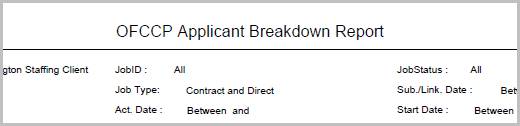
The header displays the report name, and the criteria used to generate the report.
-
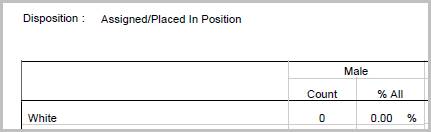
The data is then sorted by Disposition, Race and Gender.
-
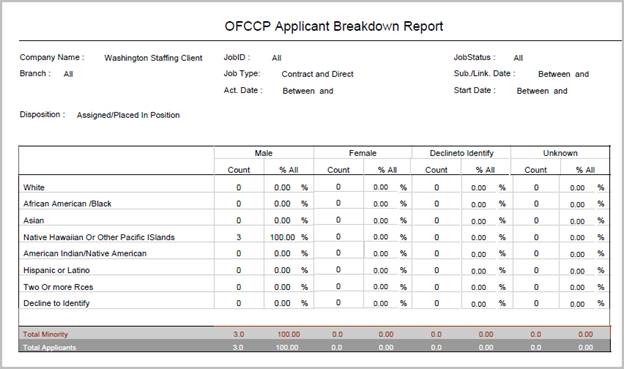
- Count – total sum of number of male, female, decline to identify and unknown employees grouped by each race.
- Percentage All – total sum of each race/gender divided by Total Number of Employees for that Disposition; i.e. (% All = Count of RaceGender / Total Employee of Disposition).
- Total Minority – sum of African America / Black, Asian, Native Hawaiian or other Pacific Islanders, American Indian / Native America and Hispanic or Latino race of each gender, in that disposition.
- Total Applicants – total sum of all races of each gender.
Full Report
Workflows that Update Report
The following workflows will update the OFCCP Applicant Breakdown report:
-
Submit Internally (Contract or Direct) from:
-
Assign Candidate from:
- Assignment> Replace & Re-Assign workflows
- Batch
- Dashboards
- Job Order
-
Place Candidate from:
- Dashboards
- Job Order
- Placement > Replace workflow