Timesheet List Screen
This is Time & Labor functionality. To have Time & Labor enabled, contact your Account Manager.
The Timesheet List Screen allows you to see and filter a list of all timesheets in the ATS. Timesheets are also viewable
on the Timesheets tab on a Company, Job, Placement, and Candidate
record. Timesheets show the time entered in for a Placement, either
through or
ATS, and the evaluation of the time entries based on the Pay and Bill
Rules that were applied. Use the information below to effectively use the Timesheet List Screen.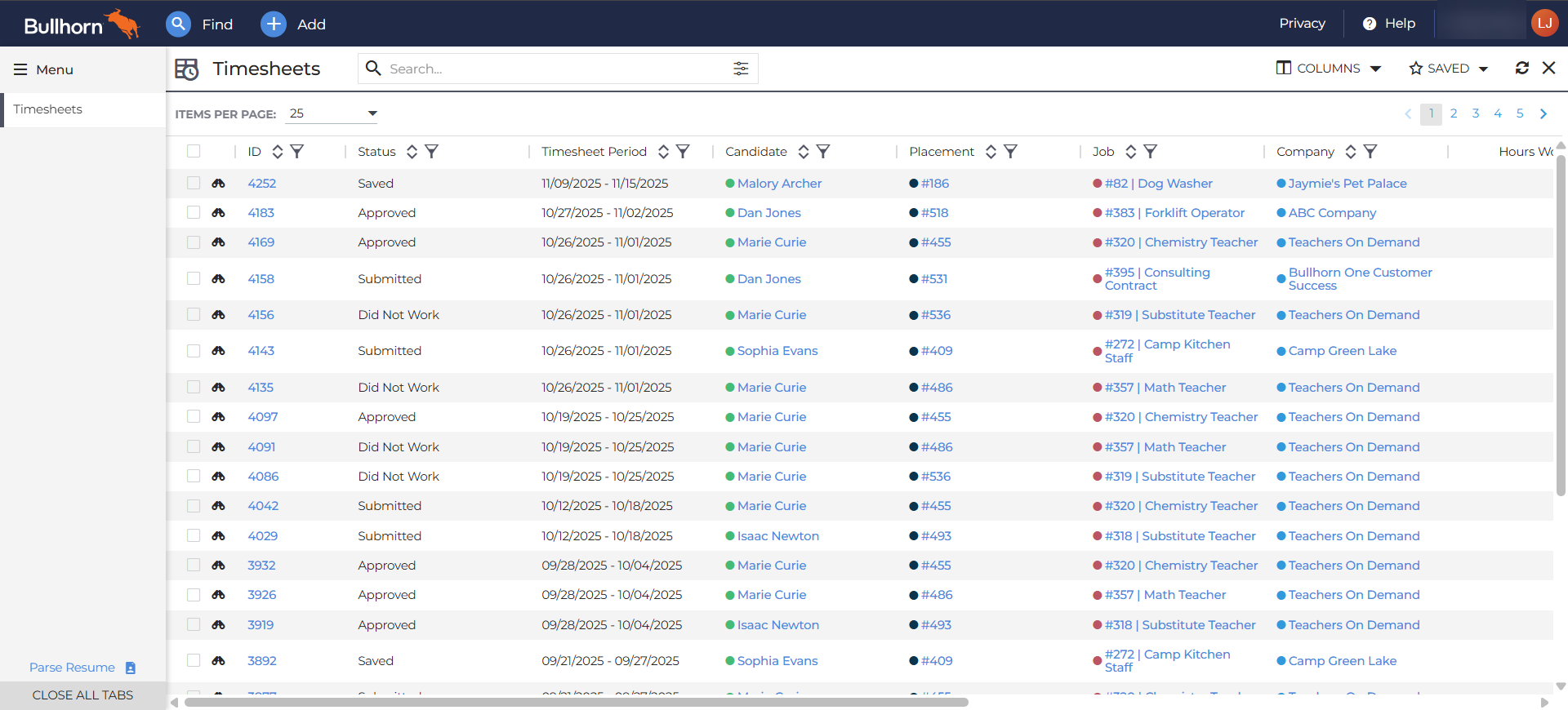
Finding & Using the Timesheet List Screen
From the Bullhorn Menu, navigate to Pay & Bill > Timesheets. This will open the Timesheets List Screen.
From the List screen you can do the following:
-
Click on the Timesheet ID number to open the record.
-
Click the binocular icon to open a slide out view of the timesheet.
-
Filter and search by any of the available columns. The following columns are some of the most popular to filter by:
-
 Status: Quickly view all Timesheets in certain Statuses.
-
Draft
-
Submitted
-
Approved
-
Completed
-
Rejected
-
New
-
Open Dispute
-
Did Not Work
-
Saved
See Timesheet Statuses: BTE & ATS to learn more.
-
-
Timesheet Period: Quickly view all Timesheets for a certain period.
-
Company: Quickly view all Timesheet belonging ot a single Company.
-
-
Customize your list screen by choosing and reordering columns. Click Columns in the top right corner to customize your view.
-
Send approval reminders in bulk. Use the checkboxes to select timesheets that need approval reminders sent, then click Action/Selected button > Send Approval Reminder.
-
If selected timesheets have the same approver, the approver will not receive duplicate reminder emails. One reminder email is sent for every individual approver, regardless of how many timesheets they need to approve.
-