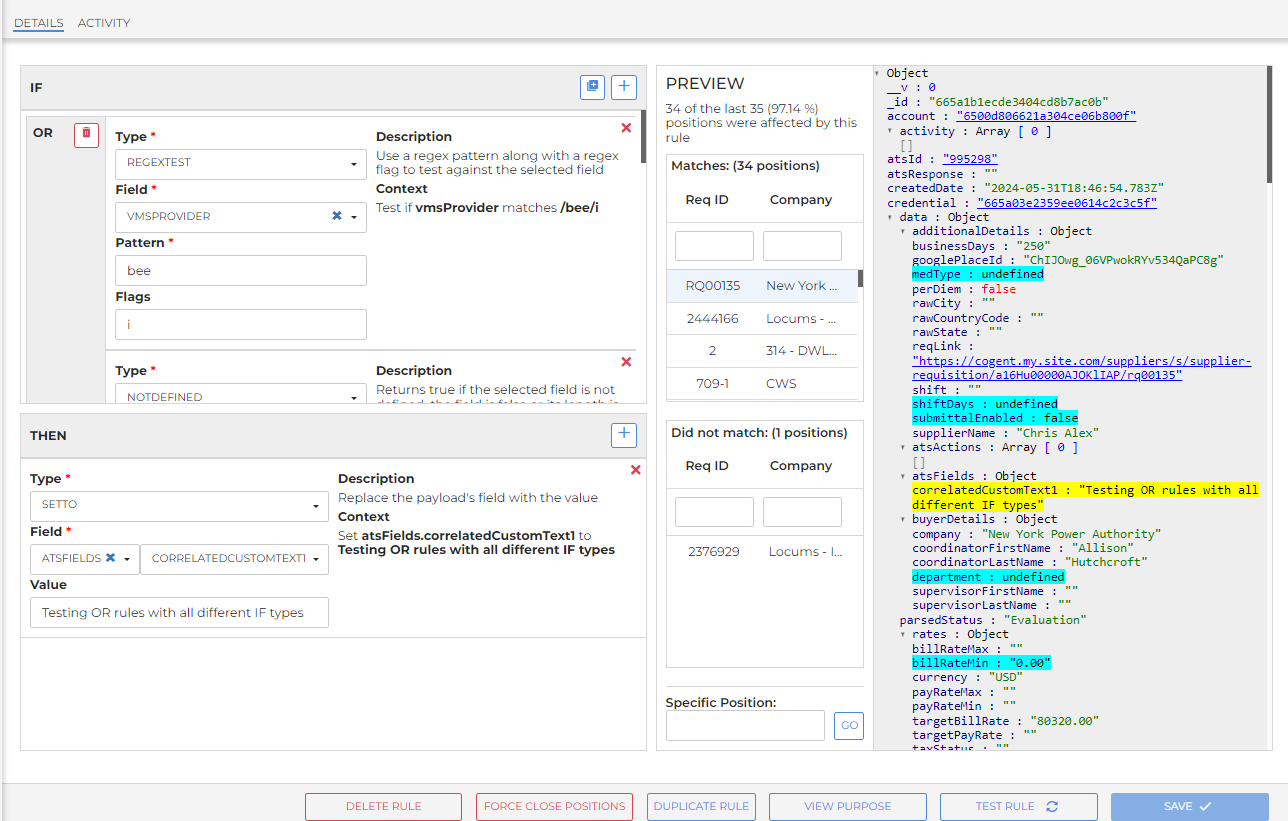
OR Rules Preview
's Rules engine allows administrators to apply client-specific business logic to positions during the sync process. Rules are structured as If/Then statements and run after company, skill, and flex mappings have been applied. Rules can be assigned either account wide or at the credential level, and each rule is assigned a priority number that determines the order in which rules are applied.
Administrators with elevated permissions can create, edit, and delete rules directly in VMS Sync Admin Tools without contacting VMS Sync Support.
The preview window in the Add Rules menu highlight all the fields in the OR/AND section and the THEN fields.
Positions are displayed in the Matches section if they match the rule. Positions will display in Did not match section if the position doesn't match the rule.