Add Region
The add region workflow creates a record for a region. Permission for this component is granted via the manage region permission under the general administration category; default with general and financial administration security profiles.
-
From the Manage Regions segment, click the Add button below the list box.
-
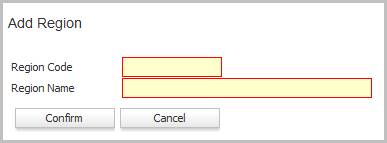
The Add Region workflow in a new window.
- While updating the form, fields marked in red are required to complete the workflow.
- Clicking confirm completes the workflow and returns to the Manage Regions segment.
-
The new region is listed last in the list box and is accessible via the code link.