View Branches
This workflow will display branches linked to the region. Link a branch to the region through the branch record.
Permission for this component is granted via the manage onboarding permission under the general administration category; default with general and financial administration security profiles.
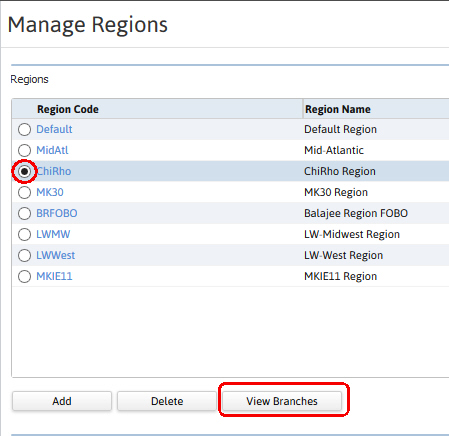
- Select a single region from the list box on the Manage Regions segment.
-
Click the View Branches button below the list box to display the branches.
-
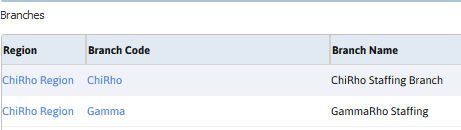
The branches linked to the region will display in the list box at the bottom of the segment.
- Access the region record via the region link.
- Access the branch record via the branch code link.
Was this helpful?