Reference
Use these instructions to view the Reference Segment of a Candidate record. This segment will display all references associated with the candidate, which can be included in an Adapt generated resume.
- Select References from the segments drop-list at the top of the record.
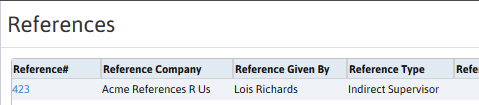
- The segment lists all references a candidate has supplied.
- Adding a reference record can be done through the Add Reference workflow, located in the Candidate Activities workflow menu to the right of the record.
- To complete a reference use the Update workflow in the reference record.
-
To access the record click on the Reference # link in the list box.
Was this helpful?