Client Summary
Use these instructions for viewing and modifying the Summary Segment of a Client.
- Locate Summary in the segments drop-list.
-
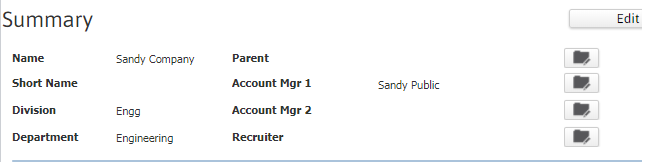
The Summary segment is divided into sections, with each section displaying general information such as the Client’s name, Account Managers, and Recruiter.
-
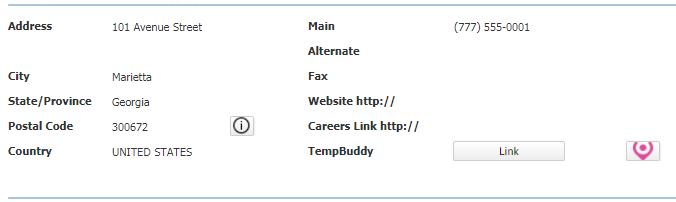
The Client’s address, phone numbers, website, job board site, and TempBuddy linkage status. A check flag next to the Link button indicates that the Client is linked to TempBuddy.
-
The Client’s service level and employee counts, credit status, company status, and key account flag. If the Key Account option is selected this prospect is considered a high priority account.

-
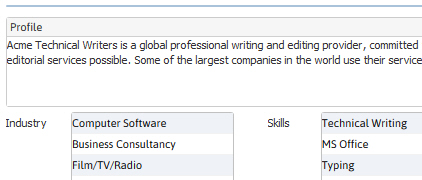
The next section displays information on the Client’s Company Profile, Industry and Skills they use.
-
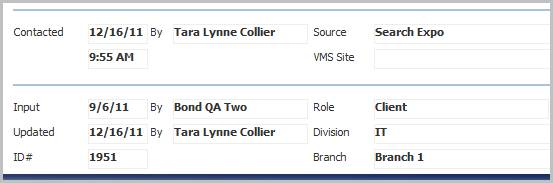
The last two sections display date based information, source, division / branch, record # and role.
-
Click on the Edit button to modify the Client’s Summary information.
-
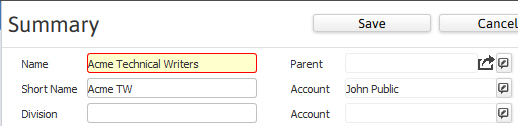
Fields with icons are modified via specific workflows and fields marked in red are required to save changes to the segment.
-
Click Save to keep changes or Cancel to discard.
