| Edition: All Editions | Audience: All Users |
Reset Your Bullhorn Analytics Password
If you sign in to with a username and password and forget your password, you can reset it from the login page. If you sign in with single sign-on (SSO) through Bullhorn ATS, you don't need to reset a password. Continue to use your organization's usual SSO process.
Steps to Reset Your Password
-
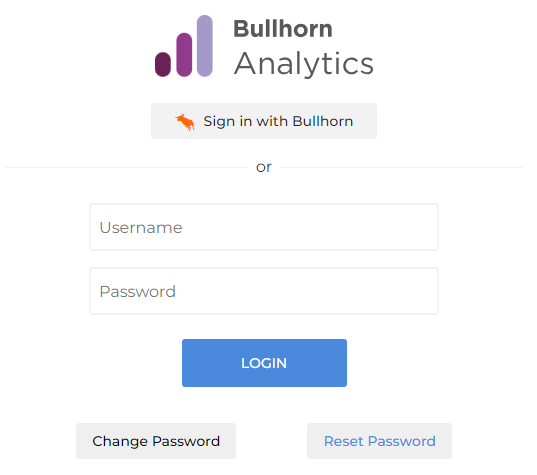
Go to https://app.cube19.io/ and click Reset Password.
-
Enter your Analytics username, then click Reset Password.
-
Open the email, then follow the link to choose a new password.
The reset link goes to the email address on your account. If the link doesn't arrive, check your spam or junk folder. If you're not a Bullhorn ATS user, ask a Bullhorn Analytics user admin to check that your email address in User Admin is correct.
Was this helpful?