| Edition: All Editions | Audience: All Users |
Troubleshoot Login Issues
This article explains how to configure your browser to log in to within , and how to troubleshoot issues with accessing on your browser.
Issues Logging in from Within
If you are being returned to the login page when trying to log in to , and this account works on other computers, we recommend upgrading to the latest version of your browser, as this is a known issue with older versions.
If you have issues only when logging into through , and it works successfully through app.cube19.io, it is likely an issue with cookies as the Analytics menu is an iFrame window within .
To fix this, we recommend enabling third party cookies on your browser by following the steps below for either Chrome or Safari.
Enable Third Party Cookies in Chrome
- Go to the following link: chrome://settings/content/cookies?search=cookies
- Enable the Allow Cookie Data option, and disable the Block third-party cookies option.
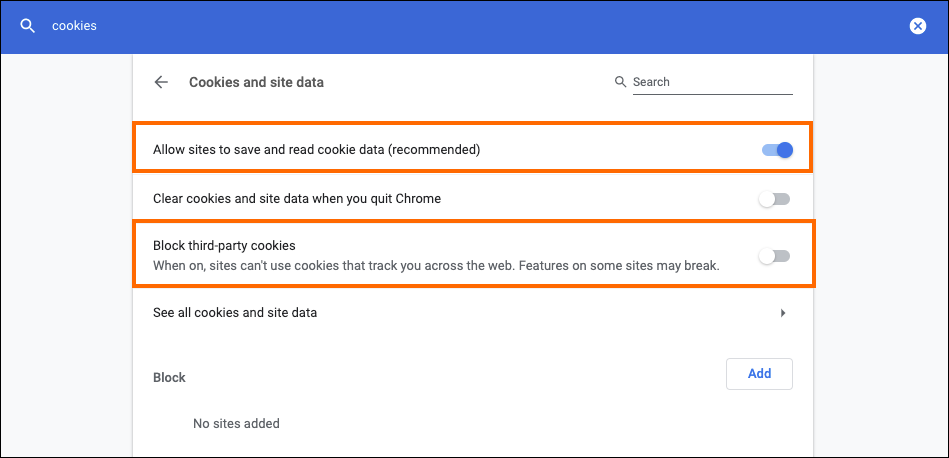
- Restart your browser
- Log out and try logging in again.
Enable Third Party Cookies in Safari
- Open up Safari and click on Safari in the top left.
- Go to Preferences.
- Go to the Privacy tab.
- Disable the options for Prevent Cross-Site tracking and Block all cookies.
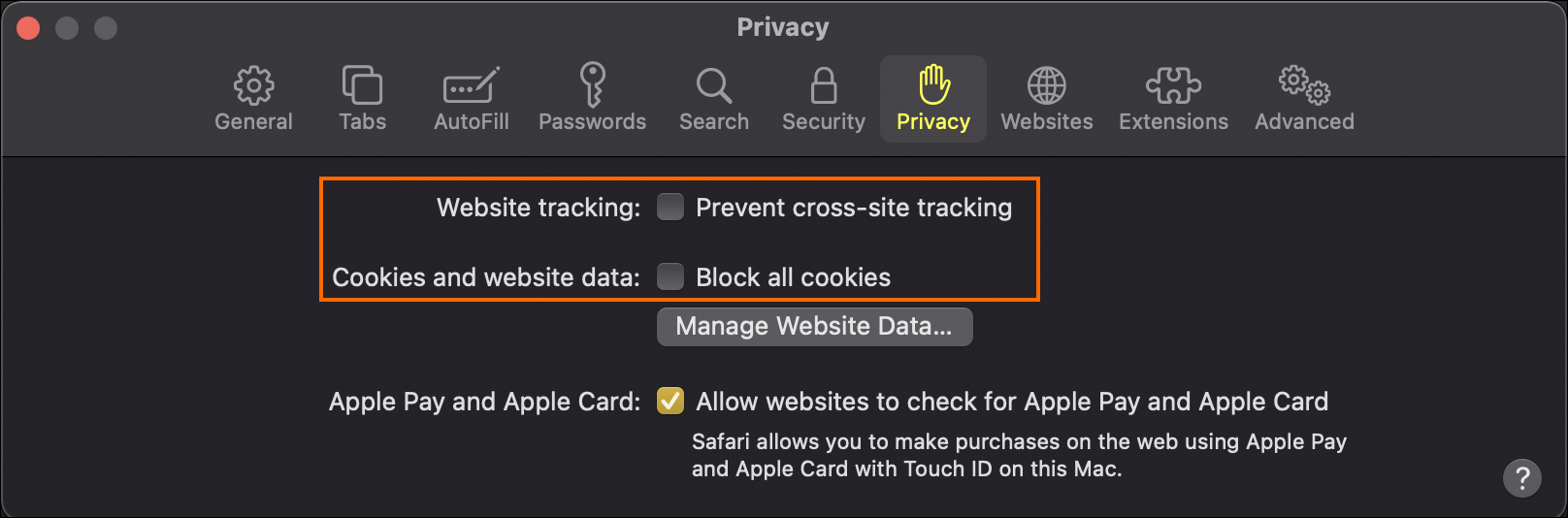
- Save.
Issues Logging in from App.cube19.io
If you are having issues logging in from app.cube19.io, you may be using the wrong username or password, or your login may have been blocked intentionally.
Reasons your Login Could be Blocked:
- Your IP Address does not match the IP Address filter (Menu > Admin > IP Access).
- Your account is not active (Menu > Admin > Users).
- You have been locked out by Bullhorn due to payment related issues.
- You have SSO enabled and can only log in through . See SSO from Bullhorn ATS to Analytics.
If you are unable to log in and the error message is not clear on the reason, we recommend verifying with an administrator of your system that you are using the correct username, that your account is not blocked, and there is an email address associated with your account.
Assuming the above is true, resetting your password will allow you to access the system.