November 2025 Release: Interview Scheduling Features & Enhancements
To all internal associates looking after customer upgrades, please be aware that there will be a mandatory step when upgrading any Org to the November release. You will need to install package version 9.21.2 before installing any November version.
This needs to be done:
-
for any Org upgrading from any version prior to 2025.11* to 2025.11*
-
for any Org upgrading from any version prior to 2025.11* to post 2025.11* if 2025.11* was skipped
(*: any November 2025 version)
Interview Scheduling Population & Search for Send out
-
Feature: Interview Scheduling
-
Level of Configuration: Low
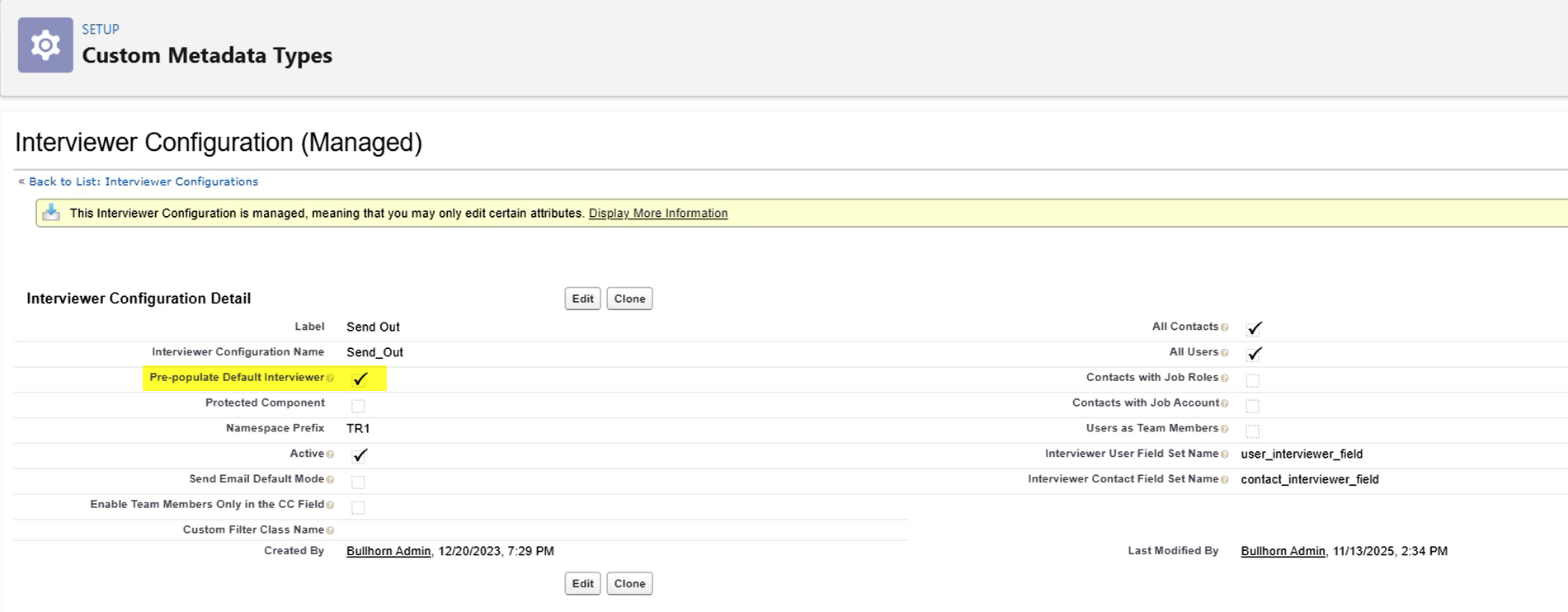
When the Interviewer Configuration was set to Active to enable extended search functionality for Send Out interviews, the Hiring Manager was not automatically pre-populated in the Interviewer field. This required users to manually search for and add the Hiring Manager each time they scheduled a Send Out interview.
The Hiring Manager associated with the Job is now automatically pre-populated in the Interviewer field when scheduling Send Out interviews.
Configuration Steps
-
Go to Setup > Custom Metadata Types > Interviewer Configuration > Manage Interviewer Configurations> Send Out
-
Check the Pre-populate Default Interviewer checkbox (This checkbox controls whether the Default Interviewer is pre-populated).
Interview Scheduling Population & Search for Internal Interview
-
Feature: Interview Scheduling
-
Level of Configuration: Low
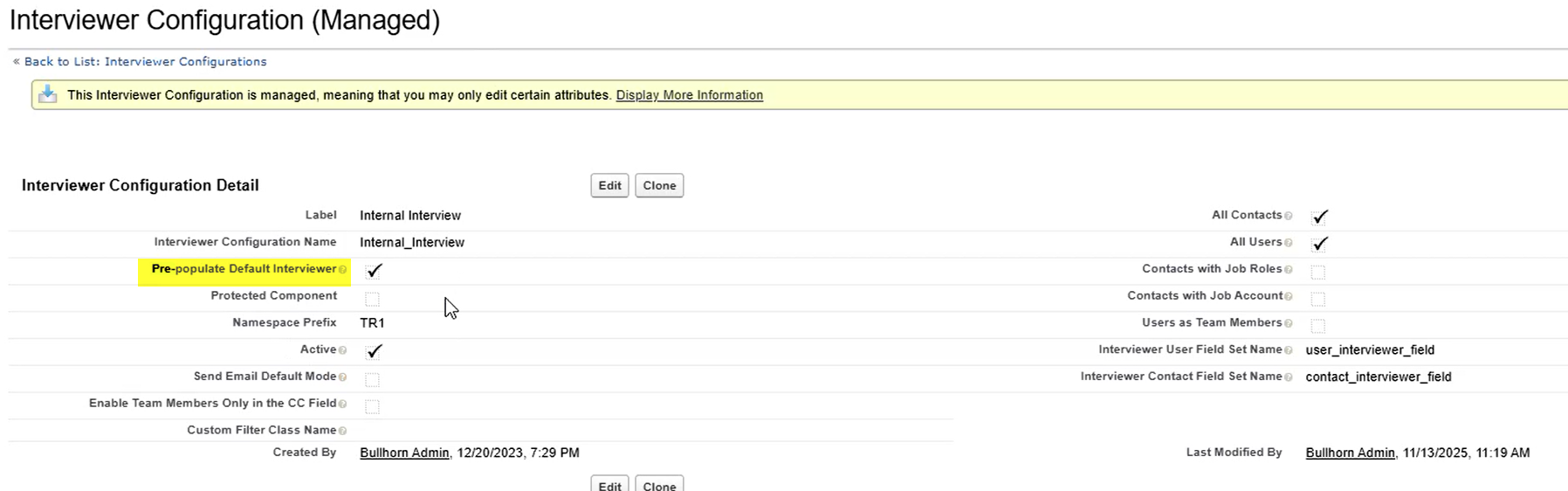
When scheduling Internal Interviews, users had to manually search for and add themselves as an interviewer every time they scheduled an interview. The current user conducting the interview was not automatically pre-populated in the Interviewer field.
The current user is now automatically pre-populated in the Interviewer field when scheduling Internal Interviews.
Configuration Steps
-
Go to Setup > Custom Metadata Types > Interviewer Configuration > Manage Interviewer Configurations> Internal Interview
-
Check the Pre-populate Default Interviewer checkbox (This checkbox controls whether the Default Interviewer is pre-populated).