View Check History Detail
The view workflow, located below the check history list box on the employee financial summary, will display details of a pay check/direct deposit advice, manual check or payroll adjustment.
After selecting an item from the list box and clicking the view button the Check History details will open in a new window.
-
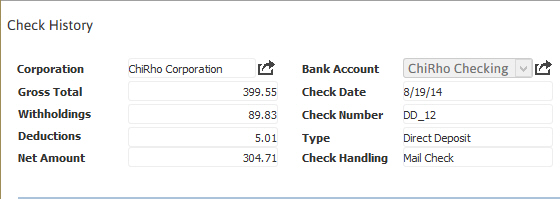
The top of the view will display earning and withholding summaries, corporation and other transaction details.
-
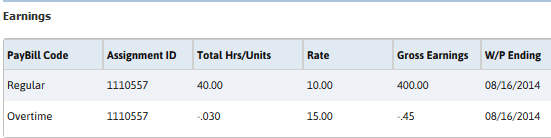
The next section of the view is a listing of the earnings by assignment.
-
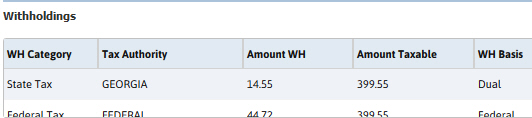
Following the earnings list box is a listing of withholdings by category (e.g. state, federal, etc).
-
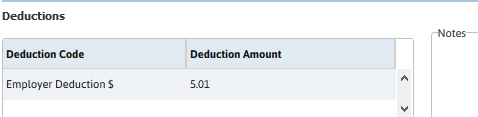
If deductions are present on any of the transactions in the earning listing those are displayed next along with notes from the transaction records.
-
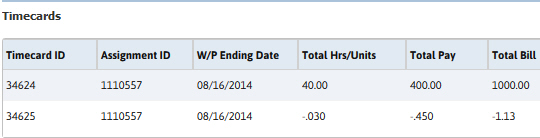
Finally all timecard transactions that are included in the check history displayed are listed at the bottom of the view.