| Edition: Growth, Corporate, Enterprise | Audience: Ratio Admin, OneView Page Admin |
Ratios Admin
This article contains the steps to create a custom ratio and add it to your OneView pages.
Adding Ratios requires Ratio Admin permission. To enable this, an administrator must go to Users Admin > [User Profile] > Admin Permissions and select the Ratio Admin checkbox. For detailed instructions, see Setting App and Admin Permissions.
Add a Ratio
- Go to Admin > Ratios.
- Click the + ADD RATIO button.
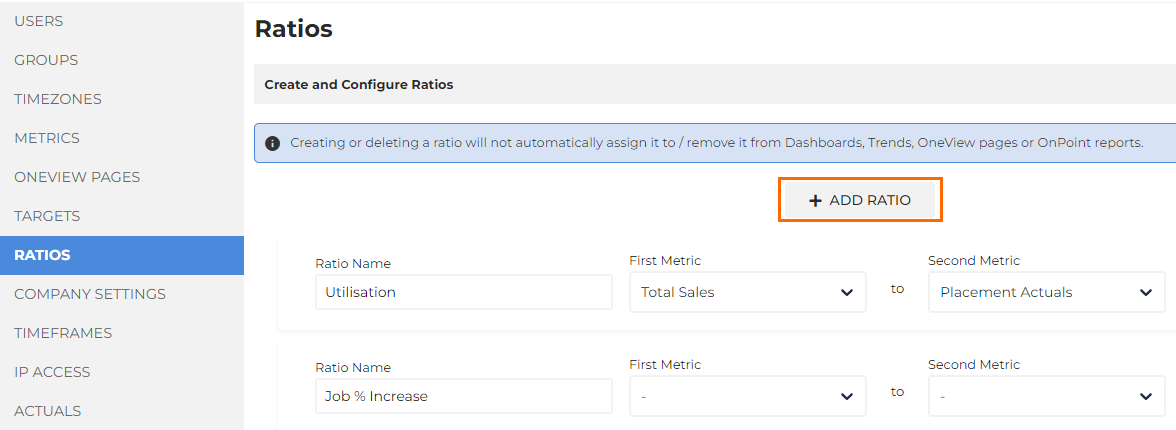
- The new ratio will appear at the bottom of the list.
- The new ratio will appear at the bottom of the list.
- Enter the Ratio name, the metrics you would like in the ratio, and the display format.
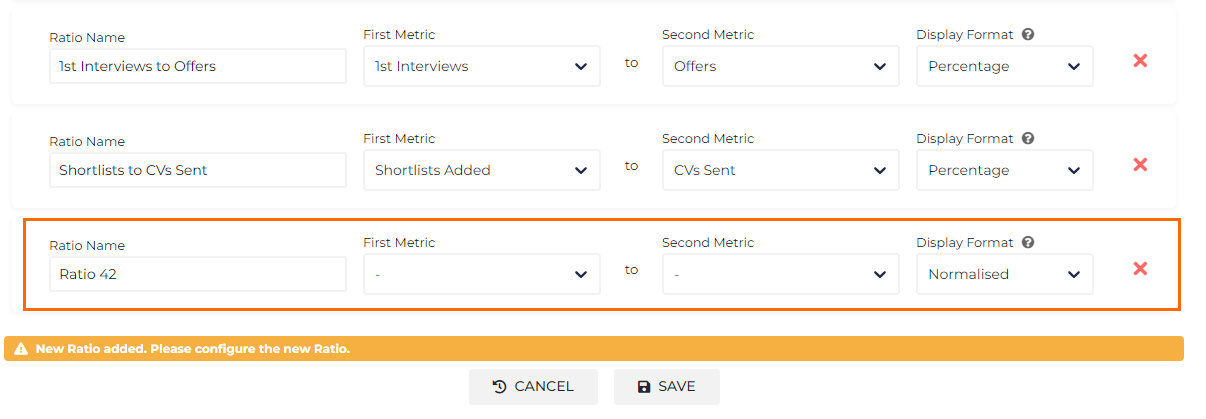
- Click the SAVE button at the bottom of the page.
Growth Edition users can add newly created ratios in OnPoint but not in OneView.
Was this helpful?