| Edition: All Editions | Audience: User Admin |
Setting App and Admin Permissions
This article provides instructions on how to give users APP and Admin permissions.
APP Permissions
User Admins can manually set the following APP PERMISSIONS for any activated user:
- OneView
- Jobs Pipeline
- Slice & Dice
- Gamification
- Trends
- Dashboards
- OnPoint
- Usage
Admin Permissions
ADMIN PERMISSIONS are not pre-selected. User Admins can manually set the following Admin permissions for any activated user:
- Users Admin
- Groups Admin
- Timezones Admin
- Metrics Admin
- Creating a OneView Page
- Targets Admin
- Ratios Admin
- Company Settings Admin
- Timeframe Admin
- IP Access Admin
- Actuals Admin
- Gamification Admin
- Tags Admin
- Jobs Pipeline Admin
- Scheduled Reports Admin
Steps
- Go to Admin > Users > Manage Activated Users and select the user you wish to add the permissions for.
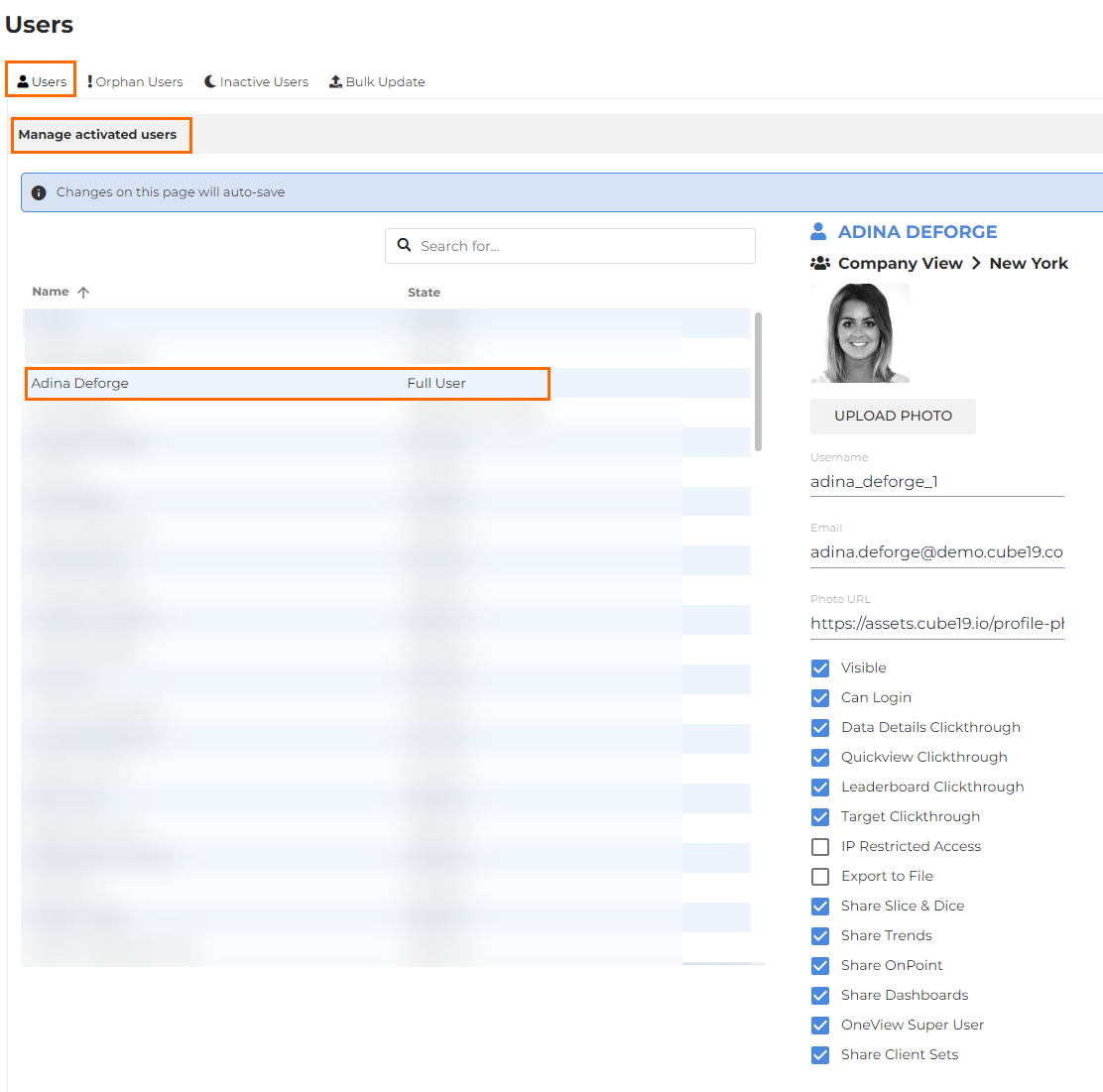
- Check the appropriate box to apply APP PERMISSIONS and ADMIN PERMISSIONS as required.
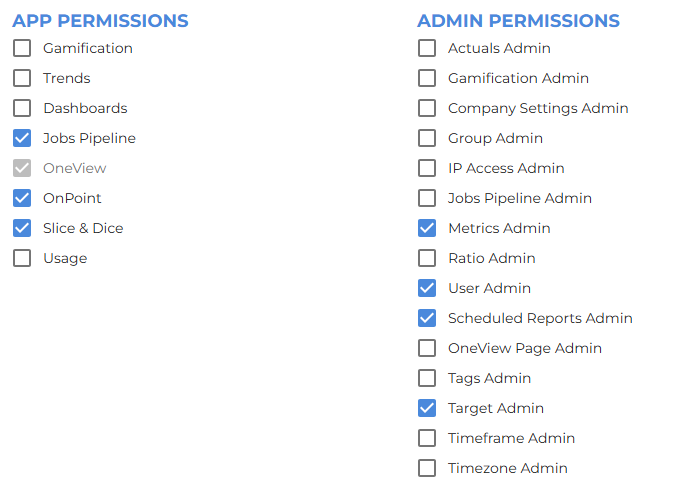
A tab for the selected APP will become visible for the user on the Bullhorn Analytics home menu. For Admin permissions, the Admin menu option will be come visible for the user when in Admin.
All settings will automatically save.
Was this helpful?